AI for your WordPress site, and its own app.
An AI shopping chat, a product writer, and your store as a native iOS and Android app.
Free. No FluxNative account needed.
Not on wordpress.org yet. Upload it in Plugins › Add New › Upload Plugin.
What it adds
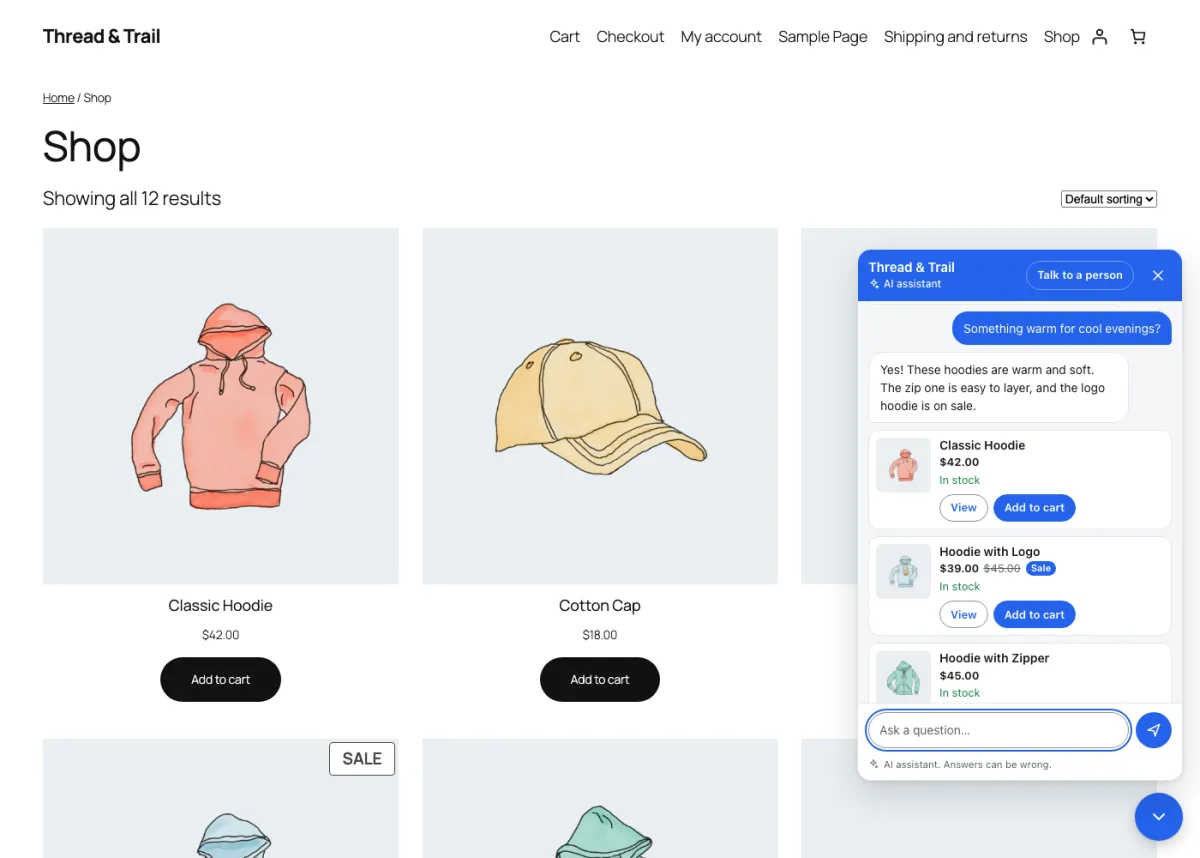
AI shopping chat
Finds products by need, answers from your policies and tracks orders. Twelve looks.
Product writer
A description from a few keywords, in your tone and language. You review it first.
Your store as an app
With FluxNative Commerce, your site becomes a native iOS and Android app.
Site health
Finds what breaks apps, such as a blocked REST API, and the setting to change.
Works with
- WooCommerce stores
- Dokan and WCFM marketplaces
- Listeo and MyListing directories
- News sites and blogs
Your key or credits
Pick who pays for AI on the plugin's AI chat tab.
Your own key
OpenAI, Anthropic, Google Gemini, OpenRouter or OpenAI-compatible. Encrypted on your site.
FluxNative credits
No key to manage. Calls use your workspace's credits, up to a monthly cap.
In WP admin
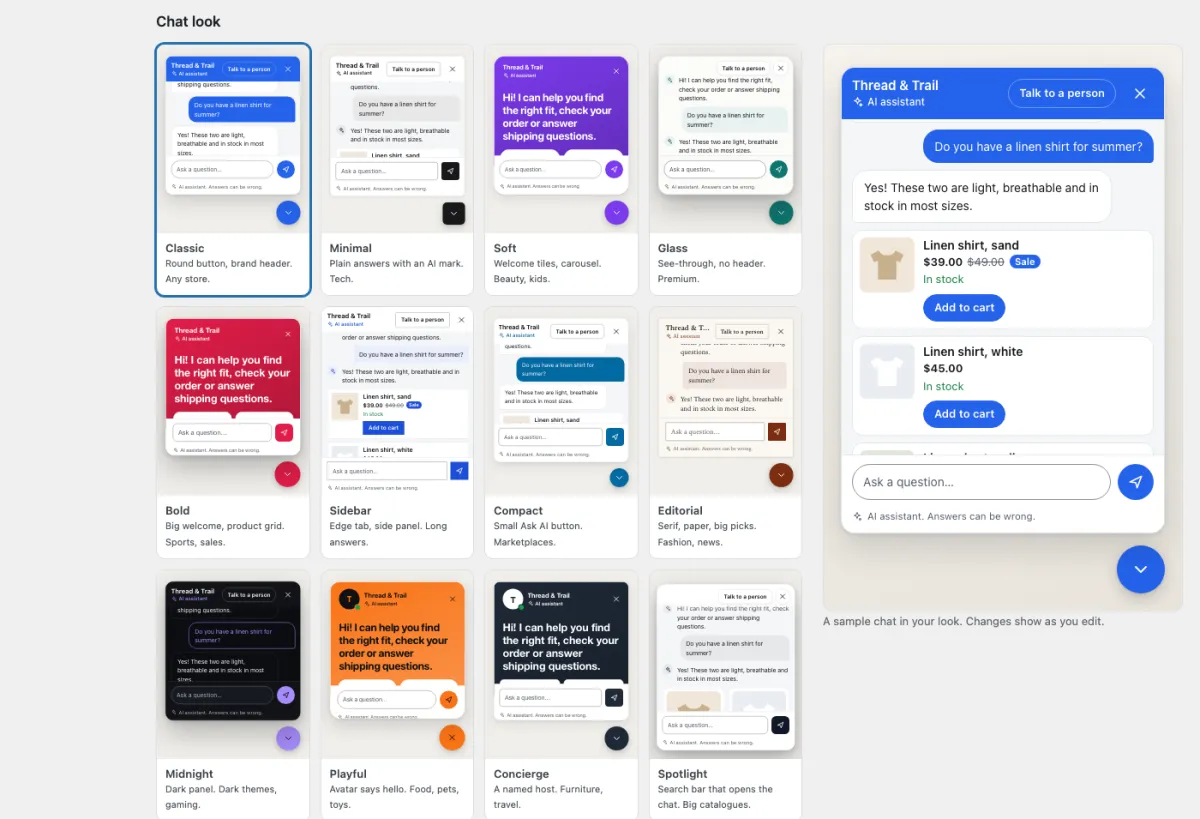
Twelve chat looks, with a live preview. 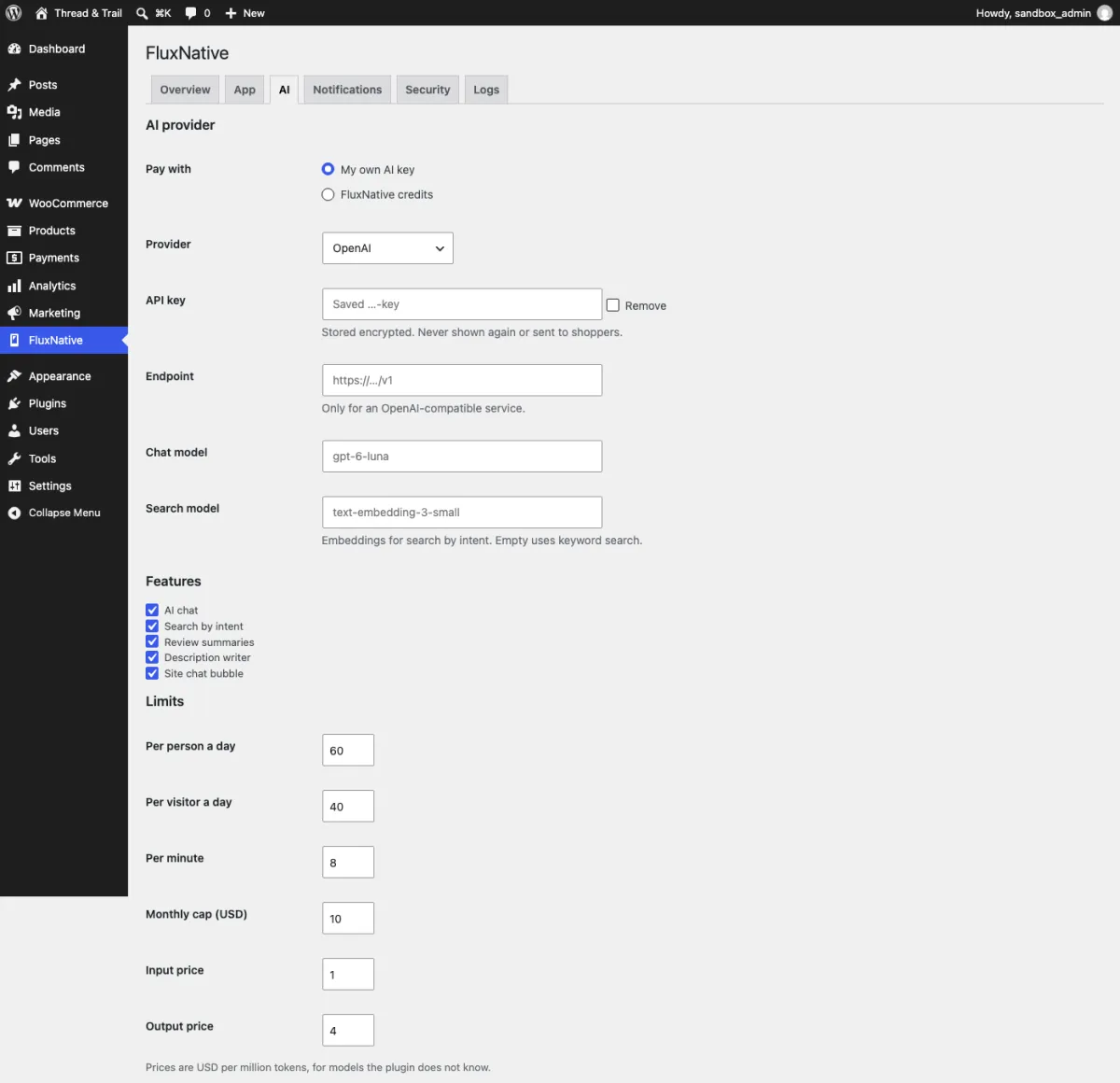
Your key or credits, limits and a spend cap. 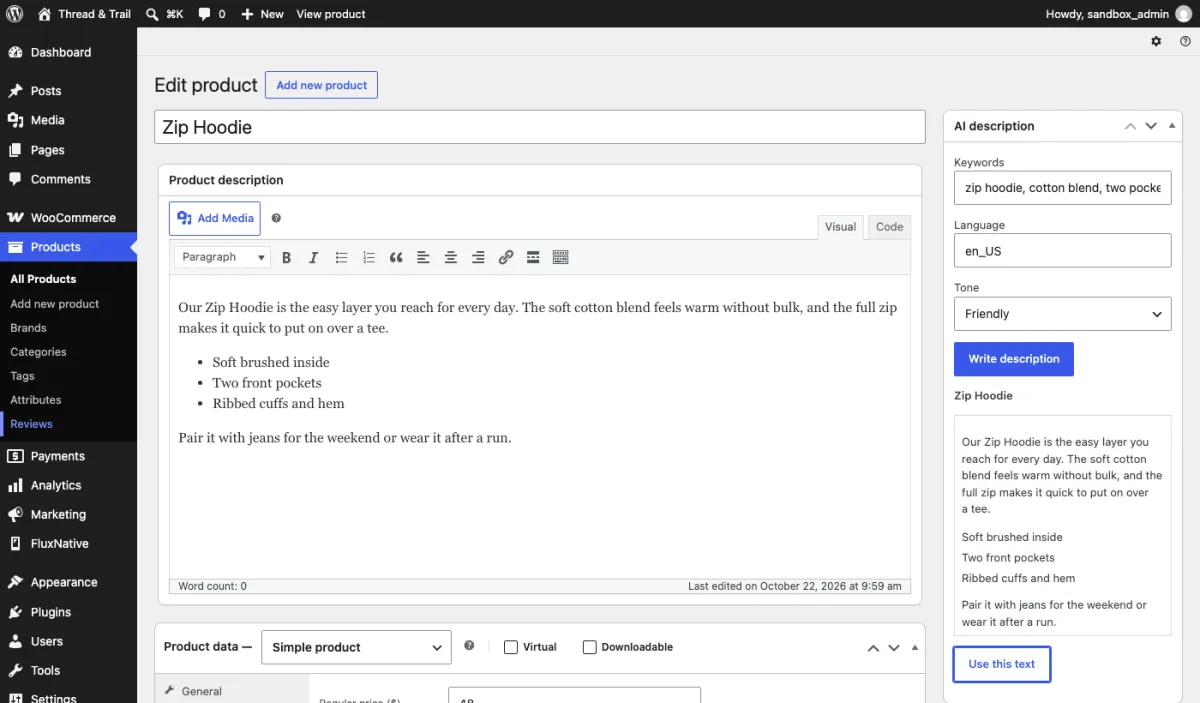
The product writer, on the product screen.
Connect your site
Only for FluxNative credits. Your own key needs no link.
Install
In WP admin, Plugins › Add New › Upload Plugin: choose the zip, then Install Now and Activate.
Get a code
On the plugin's AI chat tab, choose Use FluxNative credits.
Link site
Open the link, sign in, check the address, pick a workspace, then Link site.
Set a cap
Profile › Connected sites shows each site's credits. Change the cap or revoke it there.
Your store as an app
The plugin is already your app's connection to your store. FluxNative Commerce builds the app.
No. Every feature works with your own AI key. An account is only for credits or an app.
Which app will you launch first?
Start with a prompt, images, or Figma. No credit card required.
Start building Explore plans