Store apps for your website
FluxNative Commerce
Your WooCommerce, Shopify or WordPress store as a native iOS and Android app, with in-app checkout and the plugins you already use.
- Pay in the appStripe · Razorpay · MyFatoorah · Tap
- 28 plugins and themesWPML · WOOCS · Dokan · Listeo
Total
$79
One-time payment · Free updates for life · Full source code
1 site = 1 website · unlimited apps and builds
Bought FluxStore on Envato or inspireui.com? Your purchase code or licence key takes 30% off one purchase.
- Version 1.5.2
- Updated Oct 26, 2026
- iOS · Android · Web
- Builds on every plan
Pay in the app
Checkout runs in your app, and Stripe, Razorpay, MyFatoorah and Tap pay there too.
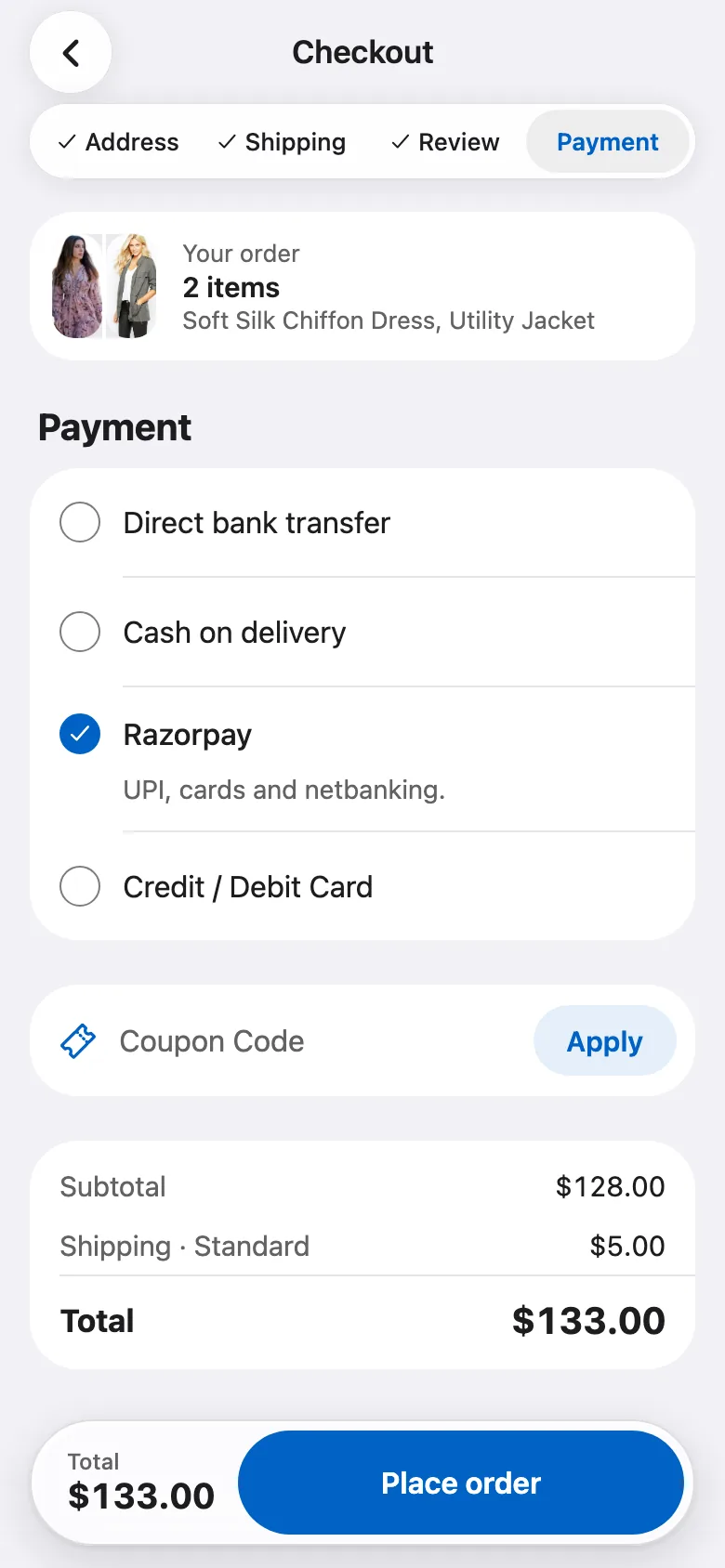
Pick how to pay
Your store's own payment methods, at checkout.
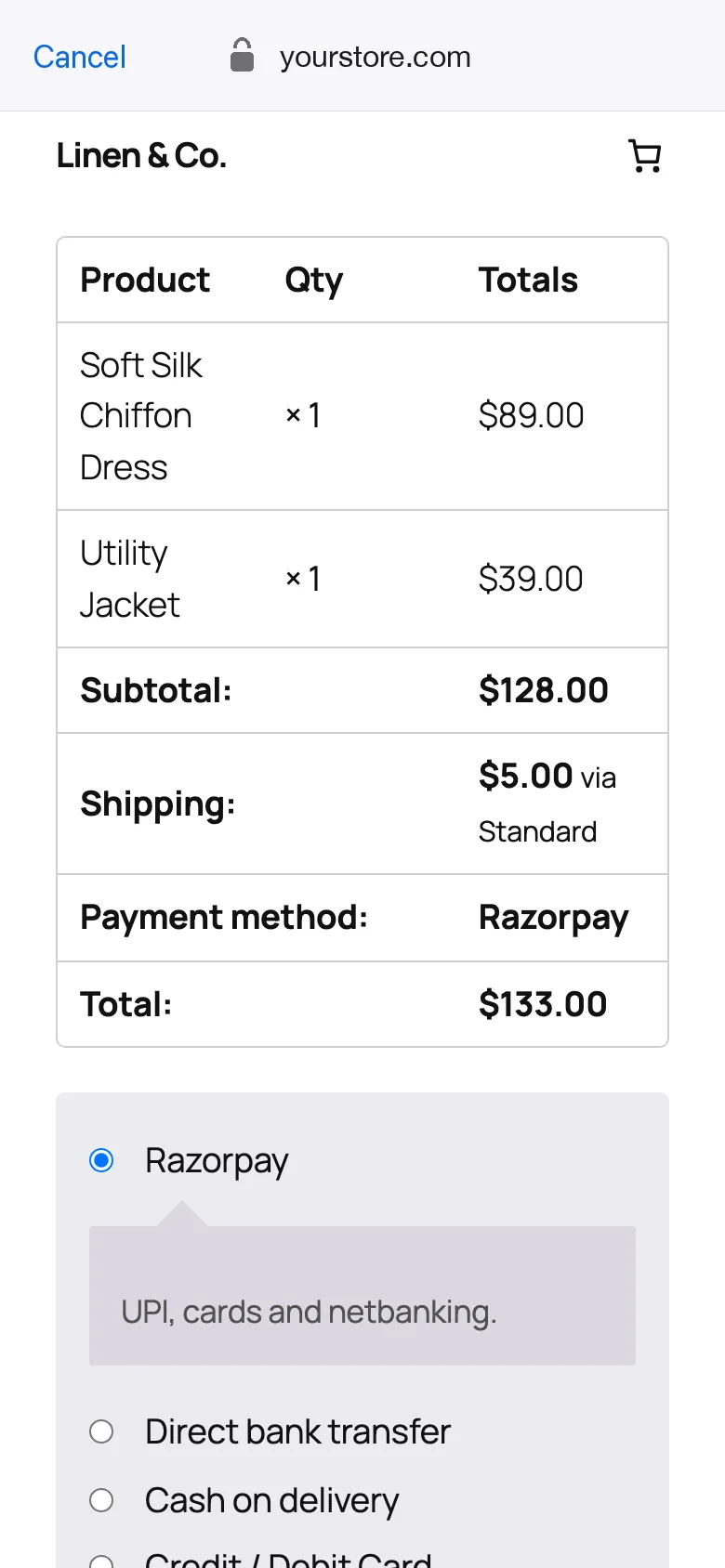
Pay on your pay page
Stripe and Razorpay open your store's pay page inside the app.
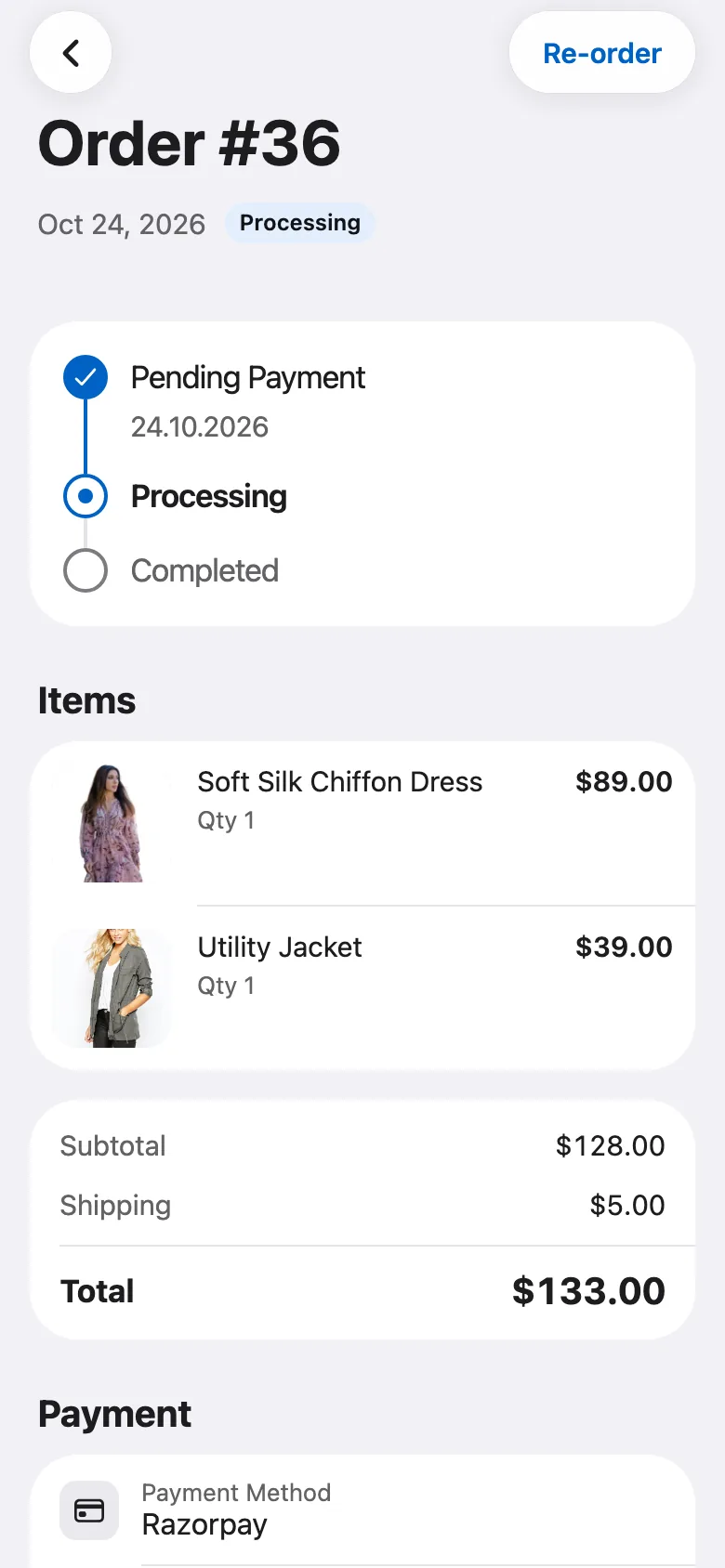
Paid, once
The order is paid at its exact total, in your store.
Where each payment happens
StripeRazorpay
On your store's pay page, inside the app
MyFatoorahTap
On the gateway's own page, over the app
Cash on deliveryBank transfer
Order placed in the app
Other gateways
On a web page: your checkout or the gateway's
Shopify
Shopify's own checkout, for every payment
- Paying in the app needs the FluxNative plugin and a signed-in shopper.
- Each order is paid once, at its exact total.
- On a marketplace, every gateway pays on a web page.
AI shopping assistant
It answers shoppers from your store's own products, in the app and on your website.
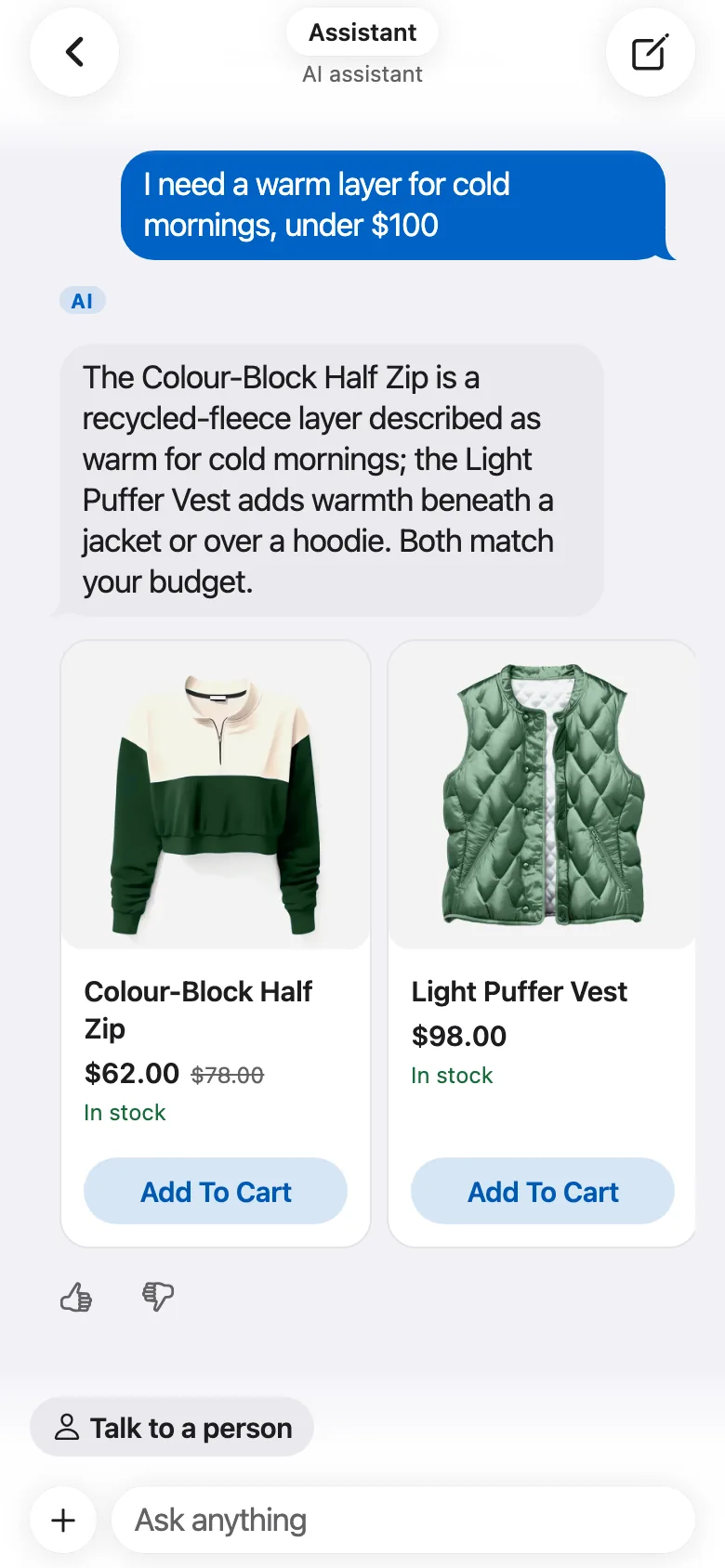
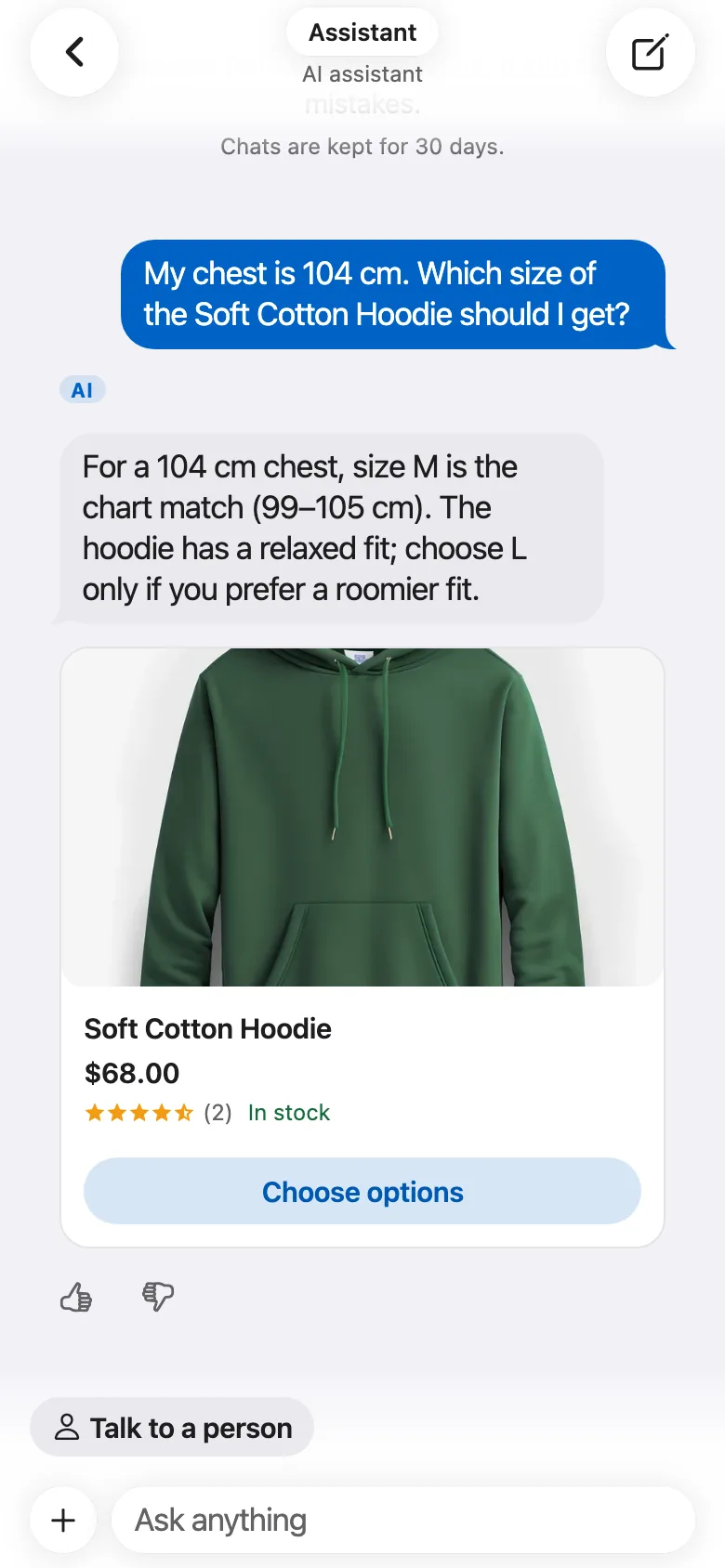
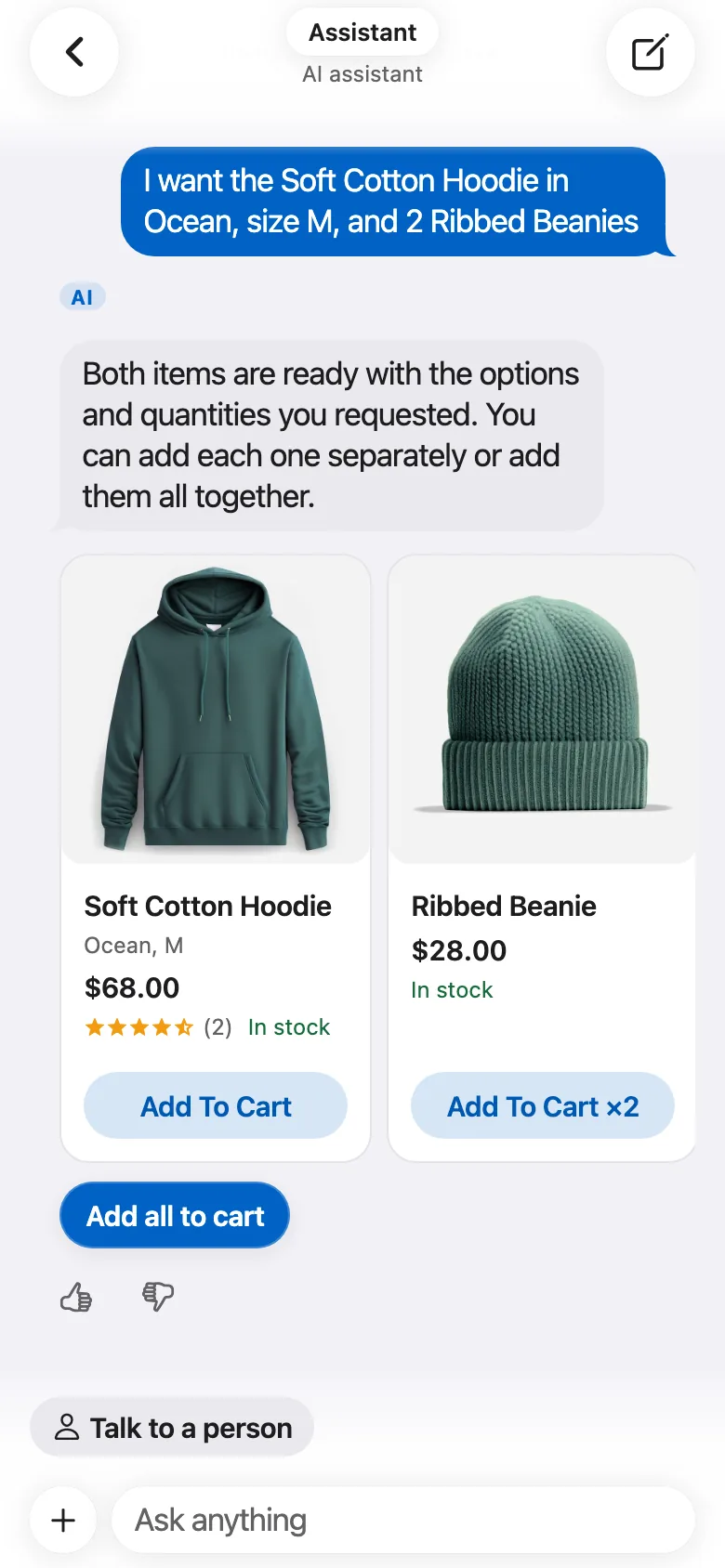
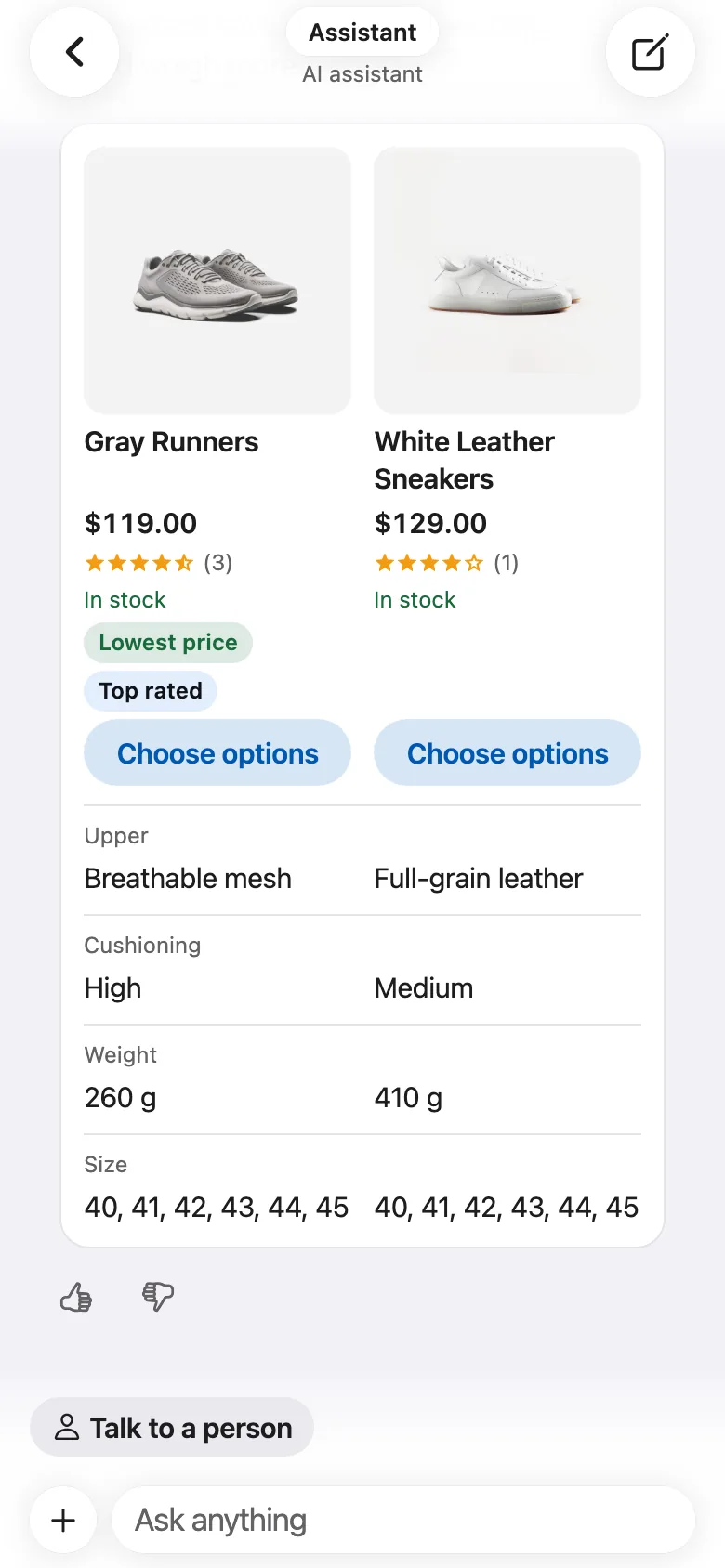
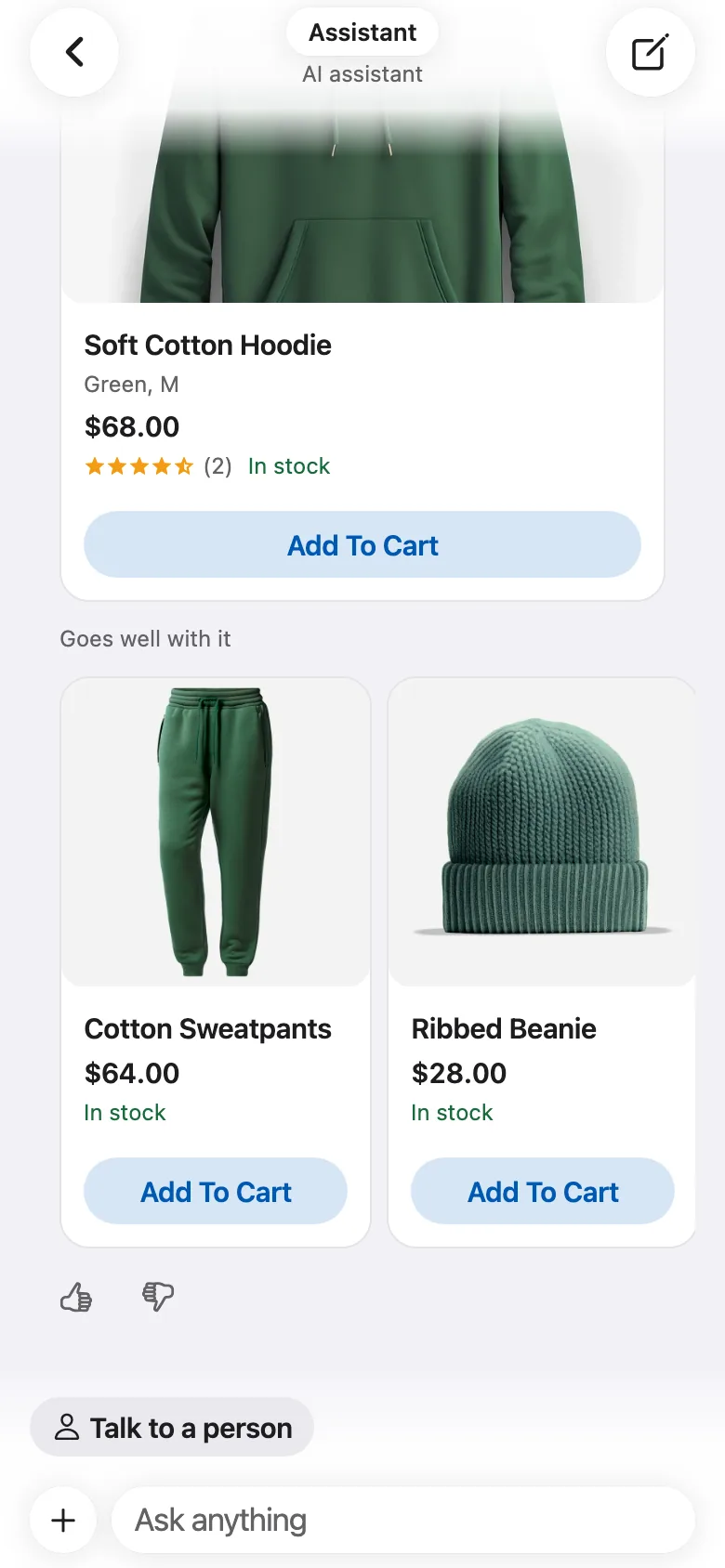
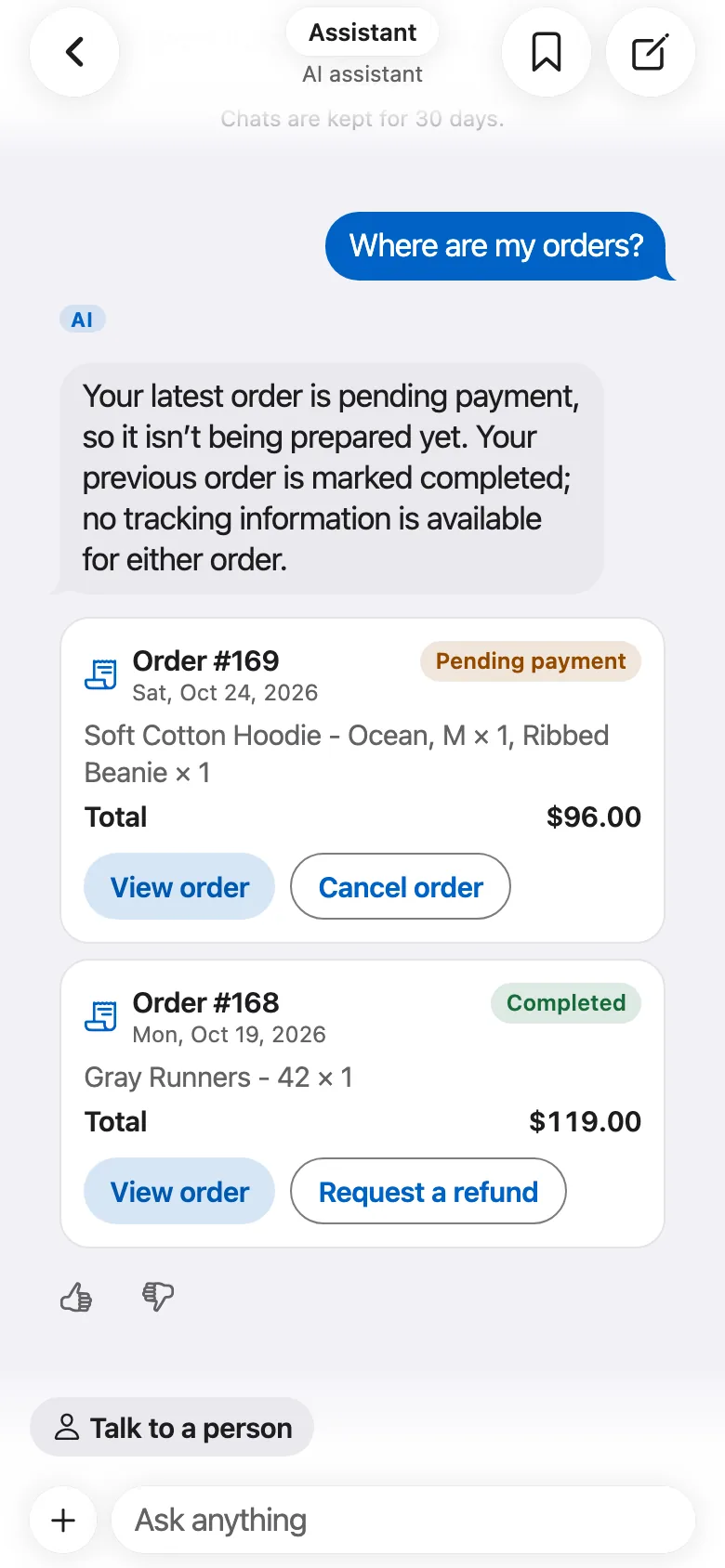
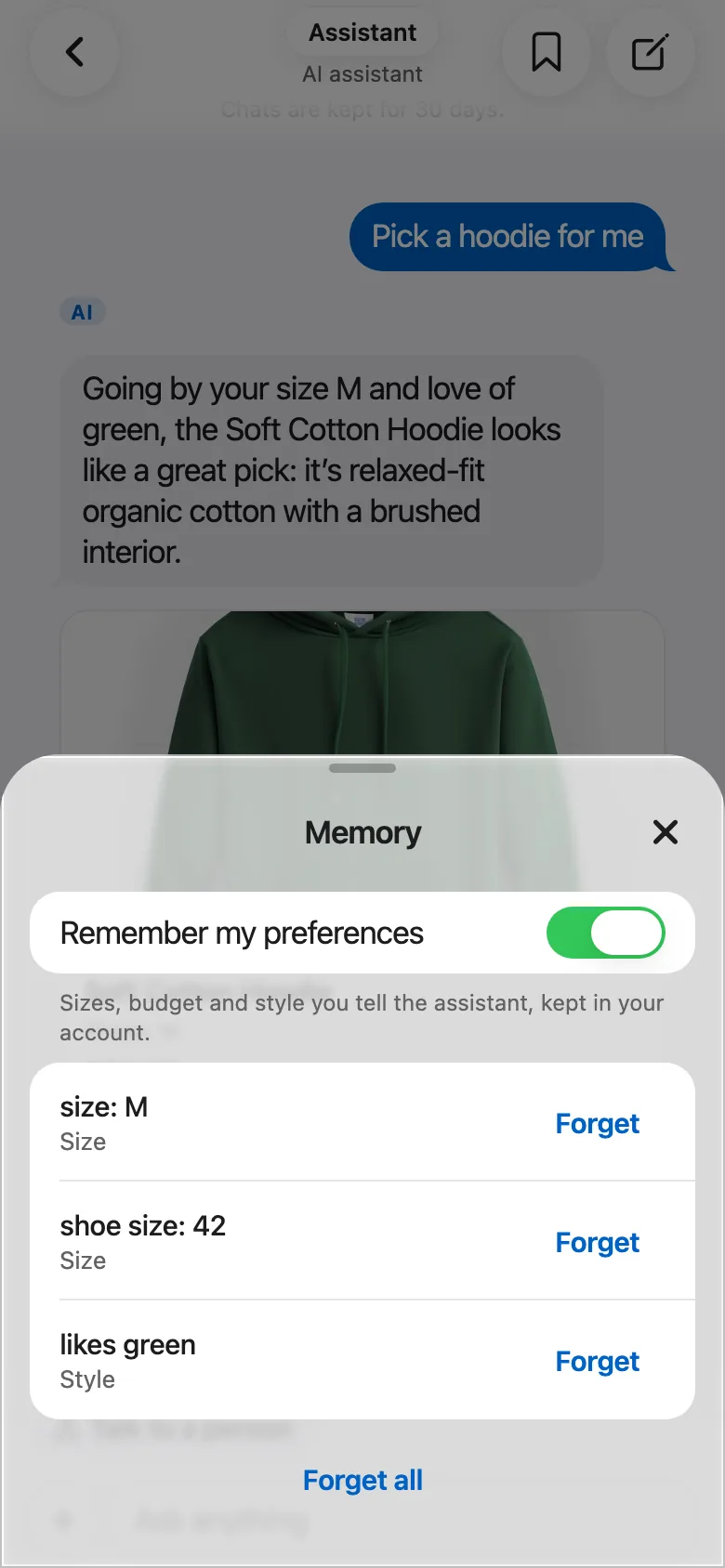
- Steps while it works
- Photo search
- Search by meaning
- Talk to a person
- Sellers' shipping
- Seller app assistant
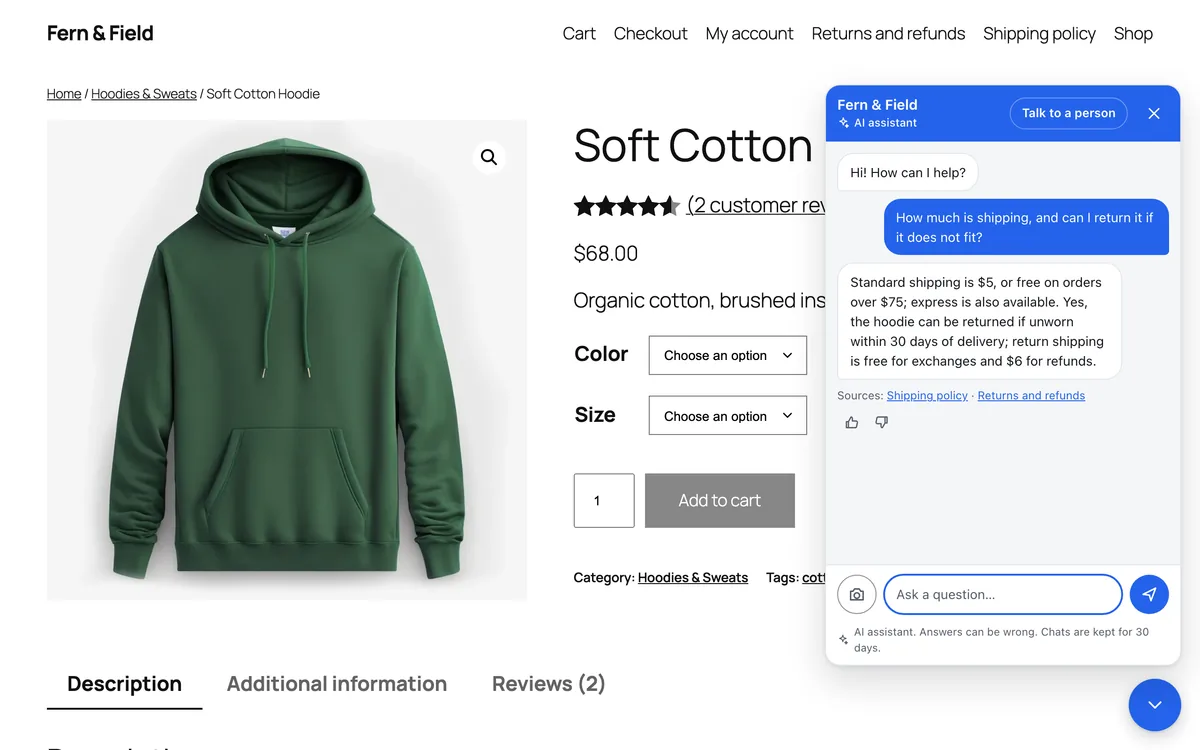
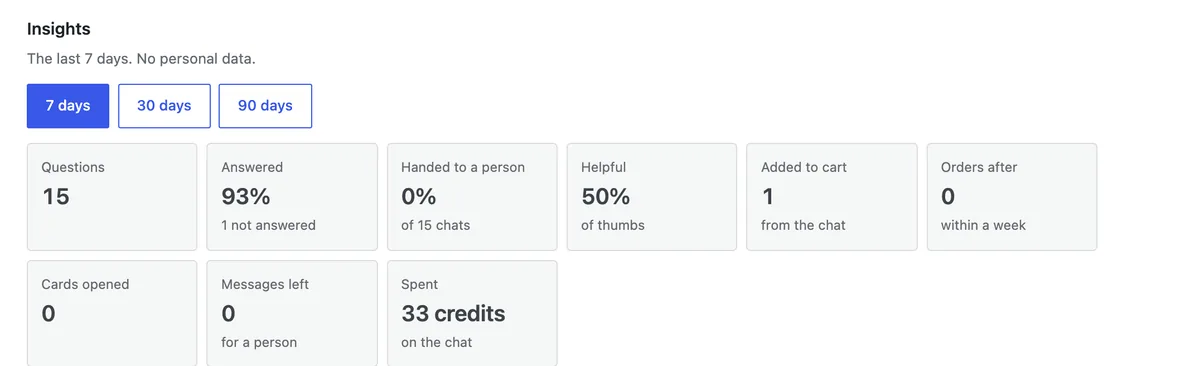
What it needs
- The FluxNative plugin on your WordPress site, with FluxNative credits or your own AI key.
- Search by meaning on credits: 1 credit per 25 products to index, once; searches are free. Up to 2,000 products on Free, 10,000 on paid plans.
- Memory stays off until a shopper turns it on, and is kept in their account on your site.
- Directory and news apps get their own: places and bookings, or articles.
Works with your plugins
28 plugins and themes your store may already run.
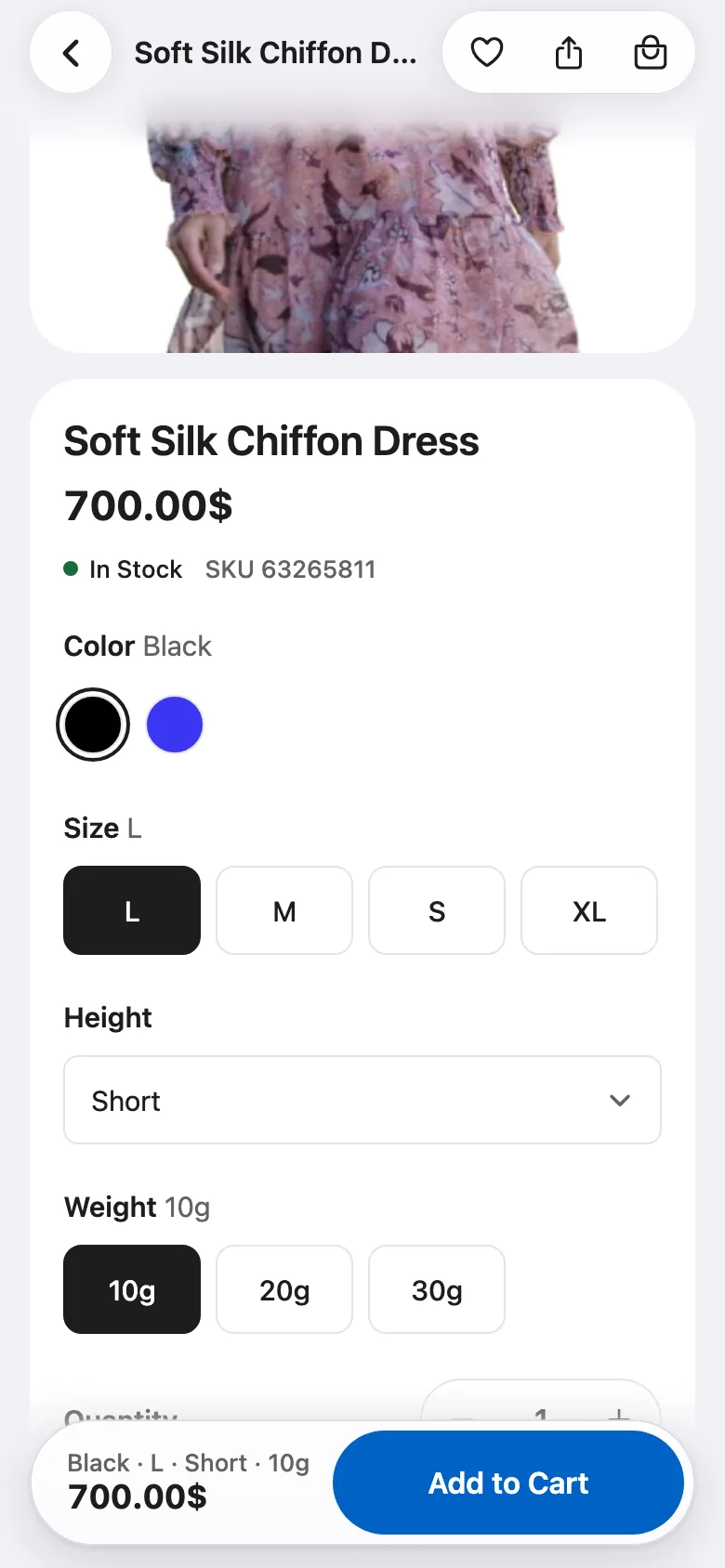 Colour swatches on a product
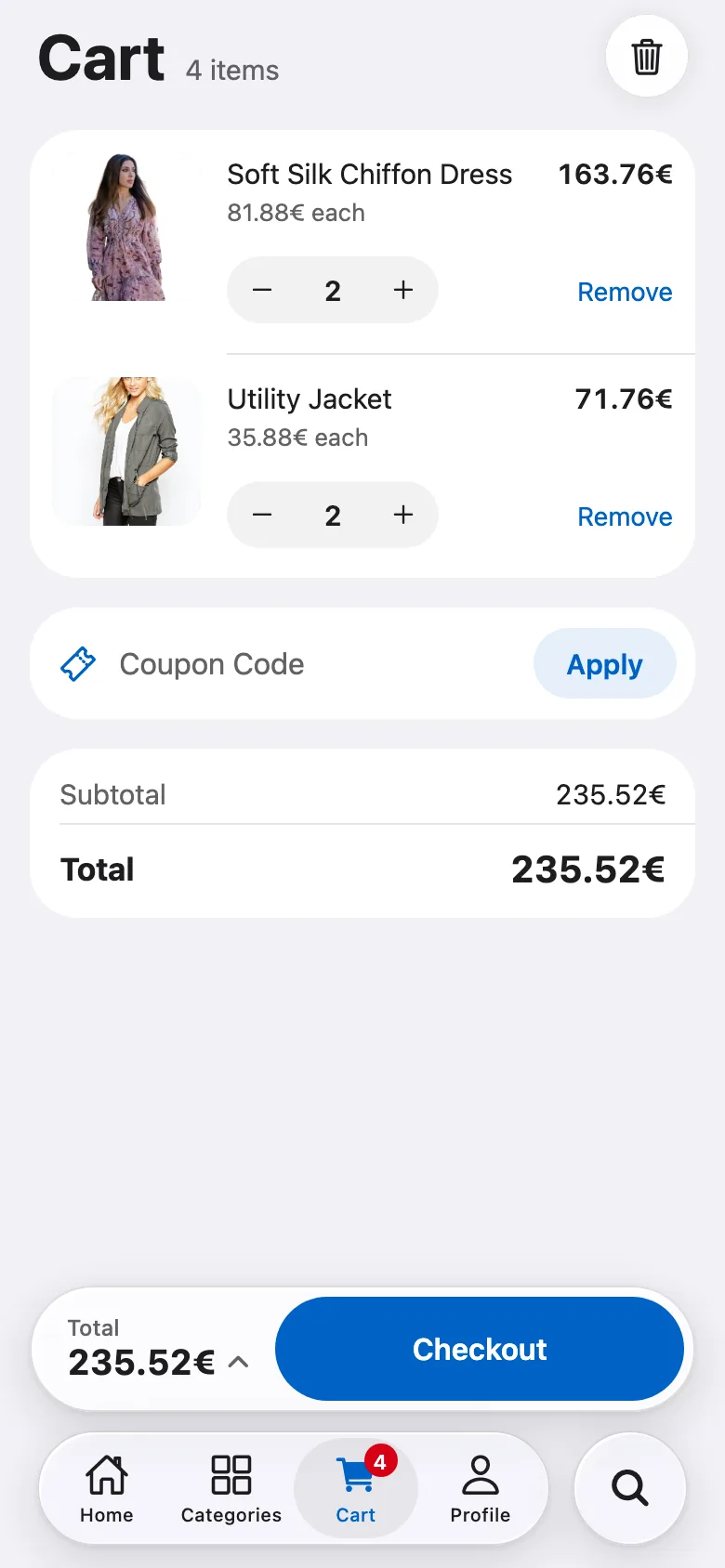 Shoppers pick a currency
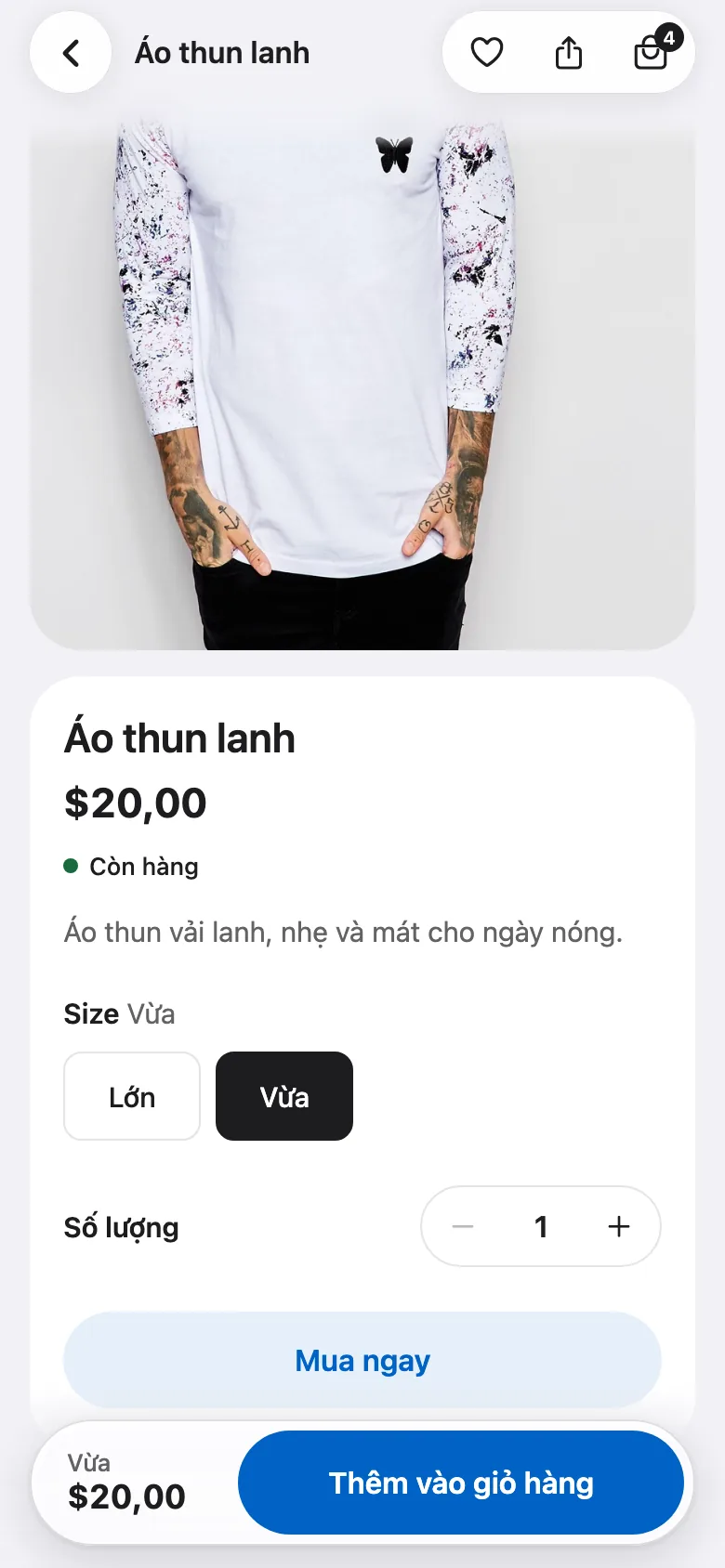 Store content in Vietnamese
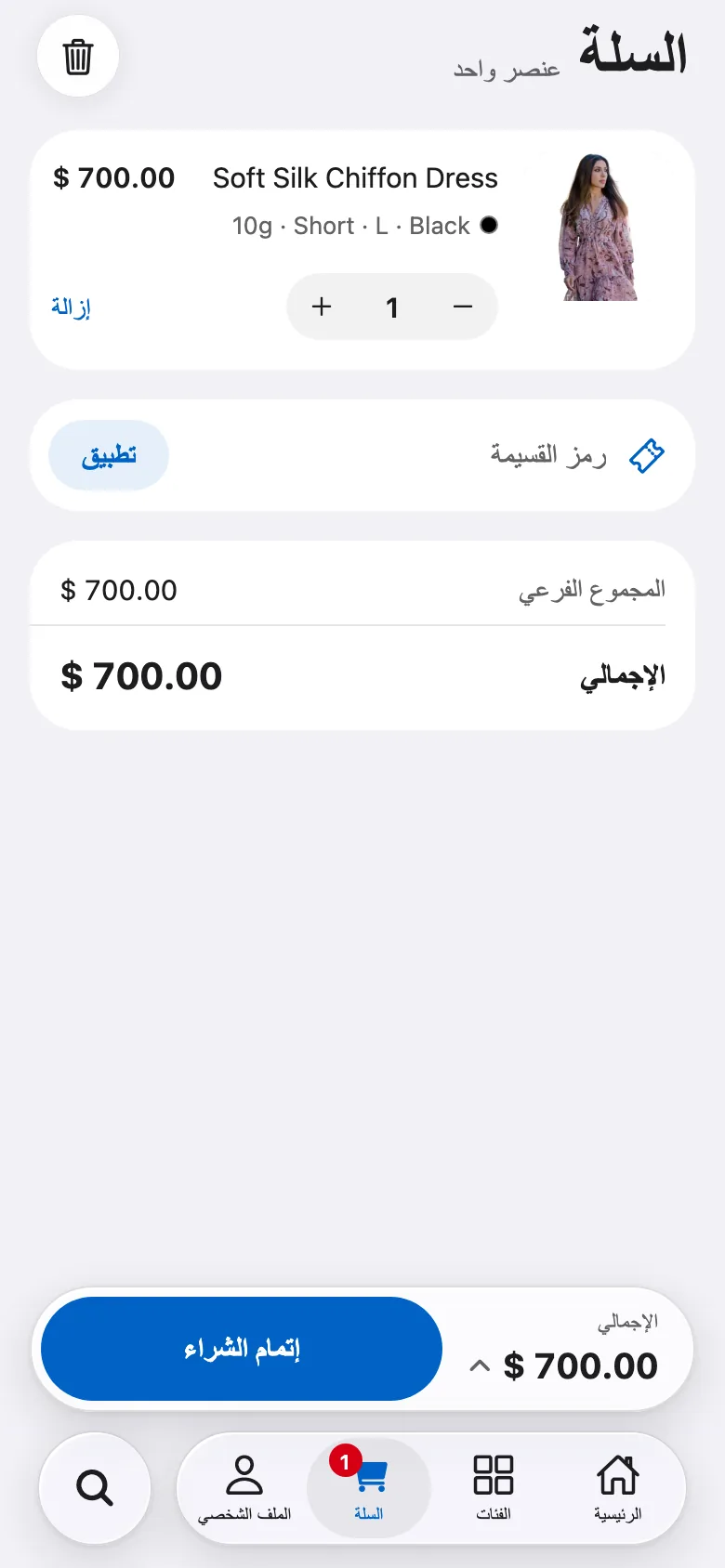 Arabic, right to left
- FluxNative pluginneeds the FluxNative plugin
- Read keyneeds a REST API key with Read access
Payments
- Stripe, RazorpayFluxNative plugin
Pay in the app, on your store's pay page
WooCommerce
- MyFatoorah, TapFluxNative plugin
Pay in the app, on their own page
WooCommerce
- Cash on delivery, bank transfer
Orders placed in the app
WooCommerce
- Other WooCommerce gateways
Pay on a web page
WooCommerce · Marketplace
- TeraWalletFluxNative plugin
Wallet: top up, pay, transfer
WooCommerce · Marketplace
Languages
- WPML†, Polylang, TranslatePressFluxNative plugin
Store content in the app's language
WooCommerce · Marketplace · WordPress news
- GTranslate, Weglot
App screens in the shopper's language; store content as on your site
WooCommerce · Marketplace · WordPress news
Currencies
- WOOCS, CURCY, WCML, WooPayments†FluxNative plugin
Shoppers pick a currency
WooCommerce · Marketplace
- Price Based on CountryFluxNative plugin
Prices by the shopper's country
WooCommerce · Marketplace
Product options
- Variation Swatches
Colour and image swatches
WooCommerce · Marketplace
- WooCommerce Product Add-Ons, YITH Product Add-Ons, PPOMFluxNative plugin
Add-ons on the product page and in the cart
WooCommerce · Marketplace
- WooCommerce Product BundlesFluxNative plugin
Bundles with their items and choices
WooCommerce
- WooCommerce SubscriptionsFluxNative plugin
Subscriptions, and My subscriptions to pause or cancel
WooCommerce
- Min/Max Quantities
Order limits in the cart
WooCommerce · Marketplace
- WooCommerce Brands
Brand filter and badges
WooCommerce · Marketplace
- Photo Reviews
Shoppers' photos in reviews
WooCommerce · Marketplace
Marketplace
- Dokan, WCFM Marketplace
Vendor stores, a multi-vendor cart and a seller app
Marketplace · Seller app
- WCFM
Review approval, notifications and vacation mode for sellers
Seller app
Chat
- Dokan Live Chat, WCFM chatFluxNative plugin
A chat link on store pages
Marketplace
Delivery
- Local Delivery Drivers for WooCommerce, WCFM Delivery
A driver app: deliveries, proof and cash
Driver app · Seller app
- Delivery Drivers for WooCommerce
The older plugin works too
Driver app
- WCFM
Store pickups on the driver's map
Driver app
Directory
- Listeo
Listing types and bookings
Directory
- MyListing
Your own listing types and fields
Directory
Shopify
- Headless channel
A Storefront token; the products on that channel show
Shopify
- Shopify
Shopify's checkout, for every payment
Shopify
- Product review apps
Stars on products
Shopify
- New customer accounts
Sign in on your store's page
Shopify
† Built from the plugin's public code and docs; not yet run on a live site.
Pick your app
Seven app types. Each app is one type.
Any WooCommerce site, as a native shopping app.
In the app
- Home your way: banners, category tiles, product rows and flash sales
- Filters by price, brand, tag and attribute
- Variations such as color and size
- Coupon codes and a coupon list
- Bank transfer and cash on delivery place the order in the app
- Pay in the app with Stripe, Razorpay, Tap or MyFatoorah, with the FluxNative plugin
- Guest checkout, no account needed
- Re-order, cancel or ask for a refund
- Google and Apple sign in
- AI assistant for sizes, comparisons and orders, with the FluxNative plugin
- AdMob ads, off until you turn them on, after Google's consent
Required plugins
- WooCommerceRequired
Products, cart and orders
- FluxNativeRecommended
Sign in, checkout, orders, cart sync, AI assistant and messages
Download (zip)Not on wordpress.org yet: upload it in Plugins › Add New › Upload Plugin.
- REST API keyRecommended
The coupon list and my reviews. Connect with WooCommerce makes it.
App channel
- Live from your site through its REST API and the FluxNative plugin. Nothing to copy or sync.
- FluxNative plugin for WordPress: the app's backend, plus the AI assistant, a chat bubble on your site and a site health check.
Supported plugins
- Payment gateways: Stripe, Razorpay, Tap and MyFatoorah pay in the app, with the FluxNative plugin; others on a web page
- WPML, Polylang, TranslatePress: the store in the app's language, with the FluxNative plugin
- GTranslate, Weglot: the app's screens follow its language; store content stays in the site's
- WOOCS, CURCY, WCML, WooPayments: shoppers pick a currency, with the FluxNative plugin
- Price Based on Country: each shopper's country prices, with the FluxNative plugin
- TeraWallet: balance, top-up, paying all or part of an order, cashback, refunds and transfers, with the FluxNative plugin
- WooCommerce Product Add-Ons, YITH Product Add-Ons, PPOM: add-ons on the product page and in the cart, with the FluxNative plugin
- Variation Swatches: colour and image swatches
- Photo Reviews: shoppers' photos in reviews
- Min/Max Quantities: order limits in the cart
- WooCommerce Brands: the brand filter and badges
- WooCommerce Subscriptions: the price with its period and trial, recurring totals at checkout, paid on your store's pay page, and My subscriptions, with the FluxNative plugin
- WooCommerce Product Bundles: bundles with their items and choices, with the FluxNative plugin
Dokan or WCFM marketplaces, every vendor in the app.
In the app
- Vendor list and vendor pages
- Each vendor's products and reviews
- The vendor on products and in the cart
- Featured vendors on Home
- The whole store: filters, coupons, checkout and orders
- Sellers' area in Profile: orders, products and reviews
- Sign up as a customer or a seller
- AI assistant for sizes, comparisons and orders, with the FluxNative plugin
- AdMob ads, off until you turn them on, after Google's consent
Required plugins
- WooCommerceRequired
Products, cart and orders
- Dokan / WCFM MarketplaceRequired
Vendors, their stores and products
- FluxNativeRecommended
Sign in, checkout, orders, the sellers' area, AI assistant and messages
Download (zip)Not on wordpress.org yet: upload it in Plugins › Add New › Upload Plugin.
- REST API keyRecommended
The coupon list and my reviews. Connect with WooCommerce makes it.
App channel
- Live from your site through its REST API and the FluxNative plugin. Nothing to copy or sync.
- FluxNative plugin for WordPress: the app's backend, plus the AI assistant, a chat bubble on your site and a site health check.
Supported plugins
- Dokan Live Chat, WCFM chat: store pages link to them, with the FluxNative plugin
- Payment gateways: every one your checkout runs, paid on a web page
- WPML, Polylang, TranslatePress: the store in the app's language, with the FluxNative plugin
- GTranslate, Weglot: the app's screens follow its language; store content stays in the site's
- WOOCS, CURCY, WCML, WooPayments: shoppers pick a currency, with the FluxNative plugin
- Price Based on Country: each shopper's country prices, with the FluxNative plugin
- TeraWallet: balance, top-up, paying all or part of an order, cashback, refunds and transfers, with the FluxNative plugin
- WooCommerce Product Add-Ons, YITH Product Add-Ons, PPOM: add-ons on the product page and in the cart, with the FluxNative plugin
- Variation Swatches: colour and image swatches
- Photo Reviews: shoppers' photos in reviews
- Min/Max Quantities: order limits in the cart
- WooCommerce Brands: the brand filter and badges
Sellers run their Dokan or WCFM store from their phone.
In the app
- Dashboard with today's to-do, sales, earnings and balance
- Orders by status, with notes, tracking and an invoice
- Assign a driver to an order
- Products with photos, variations and stock, many at once
- Inventory, coupons and payouts, with the FluxNative plugin
- Store settings: name, logo, banner, phone and address
- Seller sign up from the app
- AI assistant for their own sales, with the FluxNative plugin
Required plugins
- Dokan / WCFM MarketplaceRequired
The marketplace the sellers sell on
- FluxNativeRecommended
Dashboard, orders, products, inventory, coupons, payouts, reviews, store settings, AI assistant and messages
Download (zip)Not on wordpress.org yet: upload it in Plugins › Add New › Upload Plugin.
- Local Delivery Drivers for WooCommerce / WCFM DeliveryOptional
Assigning a driver to an order
App channel
- Live from your site through its REST API and the FluxNative plugin. Nothing to copy or sync.
- FluxNative plugin for WordPress: the app's backend, plus the AI assistant, a chat bubble on your site and a site health check.
Supported plugins
- WCFM: review approval, notifications and vacation mode
Drivers see and deliver their orders.
In the app
- Today: the current delivery, cash and earnings
- Deliveries by status, with search
- Picked up, arrived, delivered, or failed with a reason
- Call and directions on each order
- Cash to collect, confirmed at the door
- Proof of delivery: photos and a signature
- A map of the day's stops
- Stats by day, and notifications
- Online or off with one switch, on WooCommerce and Dokan
- Quick texts to the customer: on my way, arrived
Required plugins
- WooCommerceRequired
The store's orders
- Local Delivery Drivers for WooCommerce / WCFM DeliveryRequired
Drivers and the orders assigned to them
- FluxNativeRecommended
Delivery steps, proof of delivery, cash, stats and the Online switch
Download (zip)Not on wordpress.org yet: upload it in Plugins › Add New › Upload Plugin.
App channel
- Live from your site through its REST API and the FluxNative plugin. Nothing to copy or sync.
Supported plugins
- Delivery Drivers for WooCommerce: the older plugin works too
- WCFM: store pickups on the map
Listeo or MyListing directories, every place in the app.
In the app
- Home rows: featured, by category, by region, a map
- Explore on a map or a list, with filters
- Listing pages with photos, hours and features
- Call, website, email and directions
- Reviews, and writing one in the app
- Saved places and places nearby
- Listeo bookings: dates, time, guests, extras and tickets
- Pay Now for bookings with Stripe, with the FluxNative plugin
- My listings for owners; owners sign up on Listeo
- AI assistant that finds places and books them, with the FluxNative plugin
- AdMob ads, off until you turn them on, after Google's consent
Required plugins
- Listeo / MyListingRequired
Listings, maps and reviews
- FluxNativeRecommended
Listings, bookings with slots and pay links, owners' listings, AI assistant and messages
Download (zip)Not on wordpress.org yet: upload it in Plugins › Add New › Upload Plugin.
- WooCommerceOptional
A shop, and paid Listeo bookings. Needs a Read key.
App channel
- Live from your site through its REST API and the FluxNative plugin. Nothing to copy or sync.
- FluxNative plugin for WordPress: the app's backend, plus the AI assistant, a chat bubble on your site and a site health check.
Supported plugins
- Listeo listing types: service, rental, event and classifieds
- MyListing: your own listing types and fields
Your WordPress site as a news app. No cart or checkout.
In the app
- Post sliders, cards and sections
- Categories and tags, with search
- Saved posts to read later
- Comments and related posts
- Google and Apple sign in
- AI assistant for readers, with the FluxNative plugin
- AdMob ads, off until you turn them on, after Google's consent
Required plugins
- WordPressRequired
Posts, categories and tags
- FluxNativeOptional
Sign in, writing comments and the AI assistant for readers
Download (zip)Not on wordpress.org yet: upload it in Plugins › Add New › Upload Plugin.
App channel
- Live from your site through its REST API and the FluxNative plugin. Nothing to copy or sync.
- FluxNative plugin for WordPress: the app's backend, plus the AI assistant, a chat bubble on your site and a site health check.
Supported plugins
- WPML, Polylang, TranslatePress: posts in the app's language, with the FluxNative plugin
- GTranslate, Weglot: the app's screens follow its language; store content stays in the site's
Any Shopify store, through the Storefront API.
In the app
- Home your way: banners, category tiles, product rows and flash sales
- Collections and products, live from Shopify
- Variations such as color and size
- Discount codes in the cart
- Wishlist on the shopper's phone
- Shopify's own checkout for every payment
- Sign in, order history and re-order
- AdMob ads, off until you turn them on, after Google's consent
Required plugins
- ShopifyRequired
Products, collections, cart and checkout
- Storefront tokenRequired
From Shopify's Headless channel: create a storefront, then copy its public access token.
App channel
- Headless channel in Shopify: the products and collections on it show in the app.
Supported plugins
- Product review apps that fill Shopify's rating fields: stars on products
- New customer accounts: sign in on your store's page
Every app: 50 languages with right-to-left, light and dark, on iOS, Android and the web.
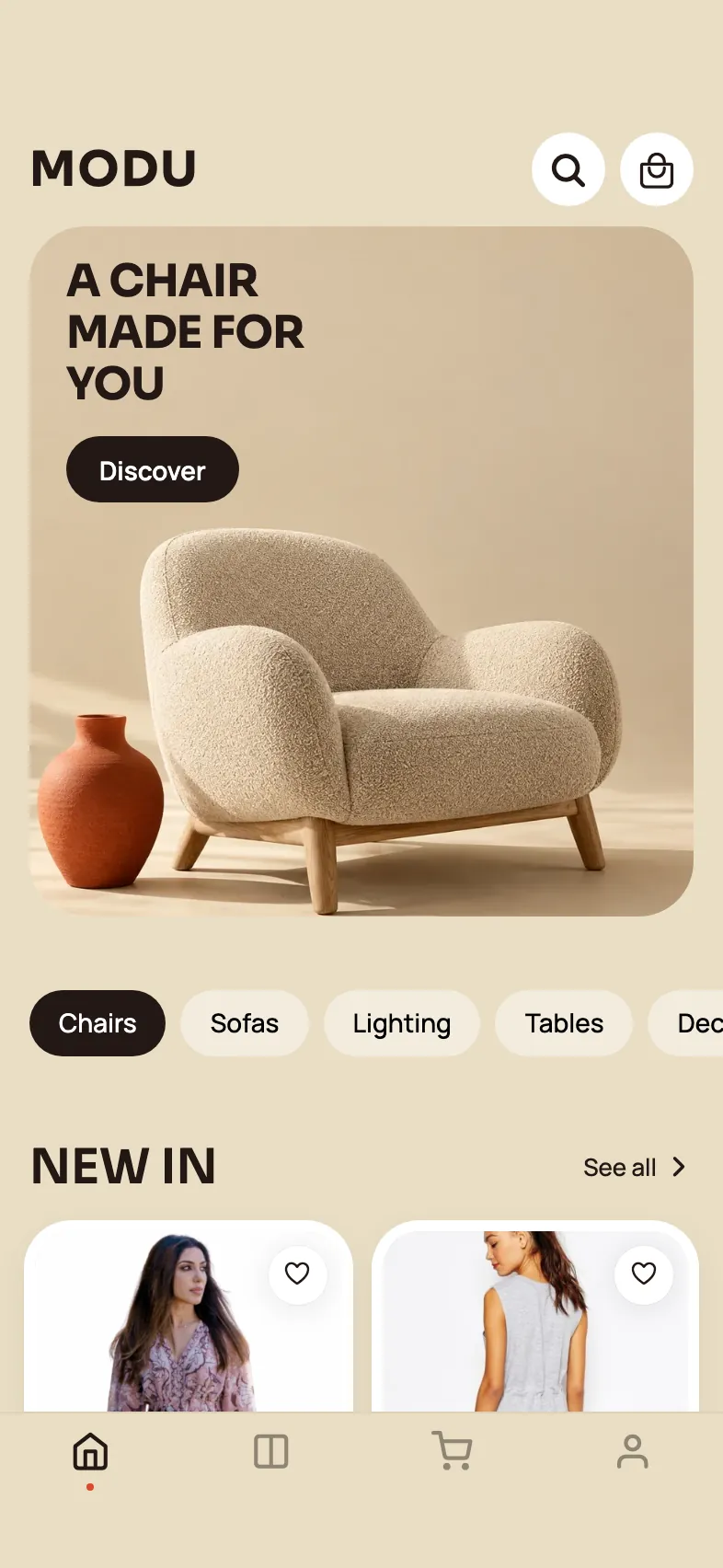
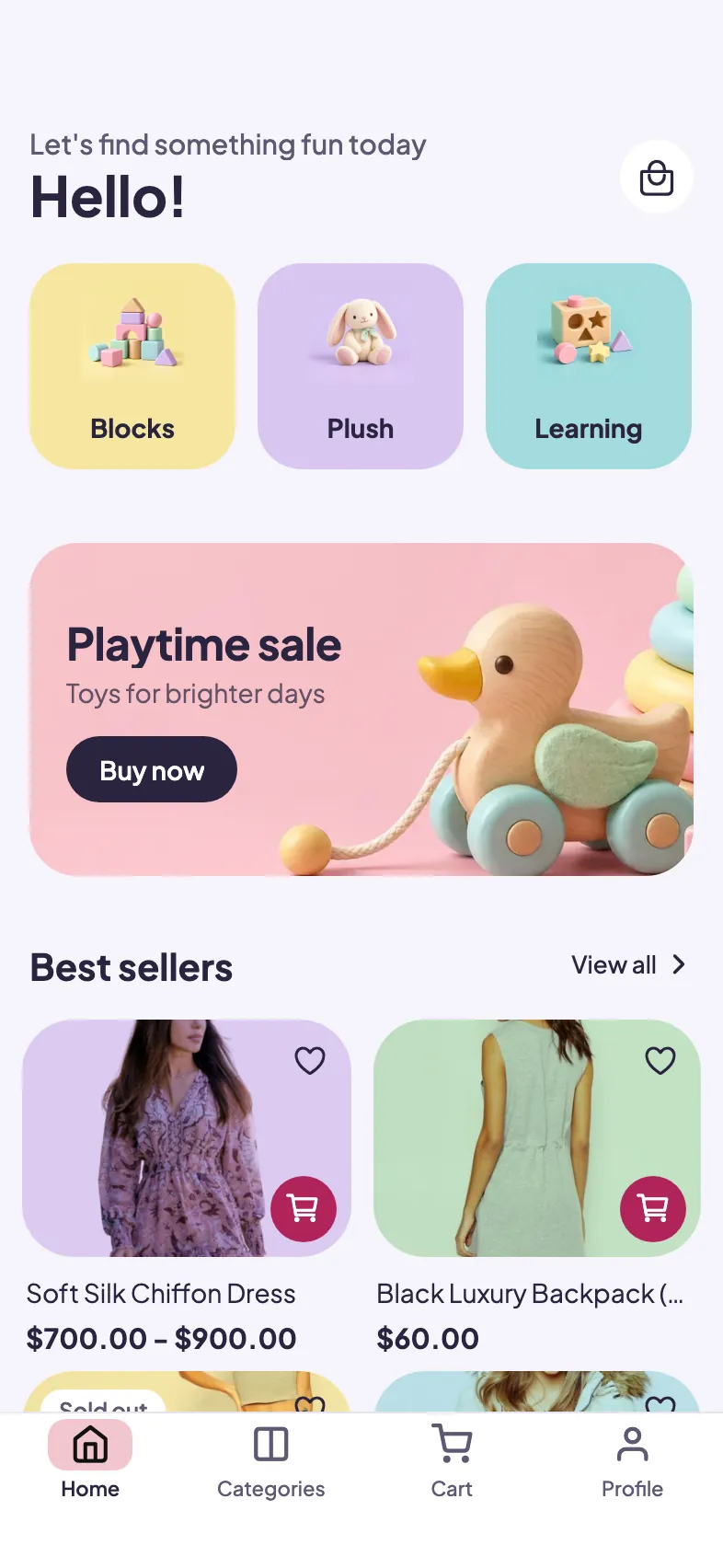
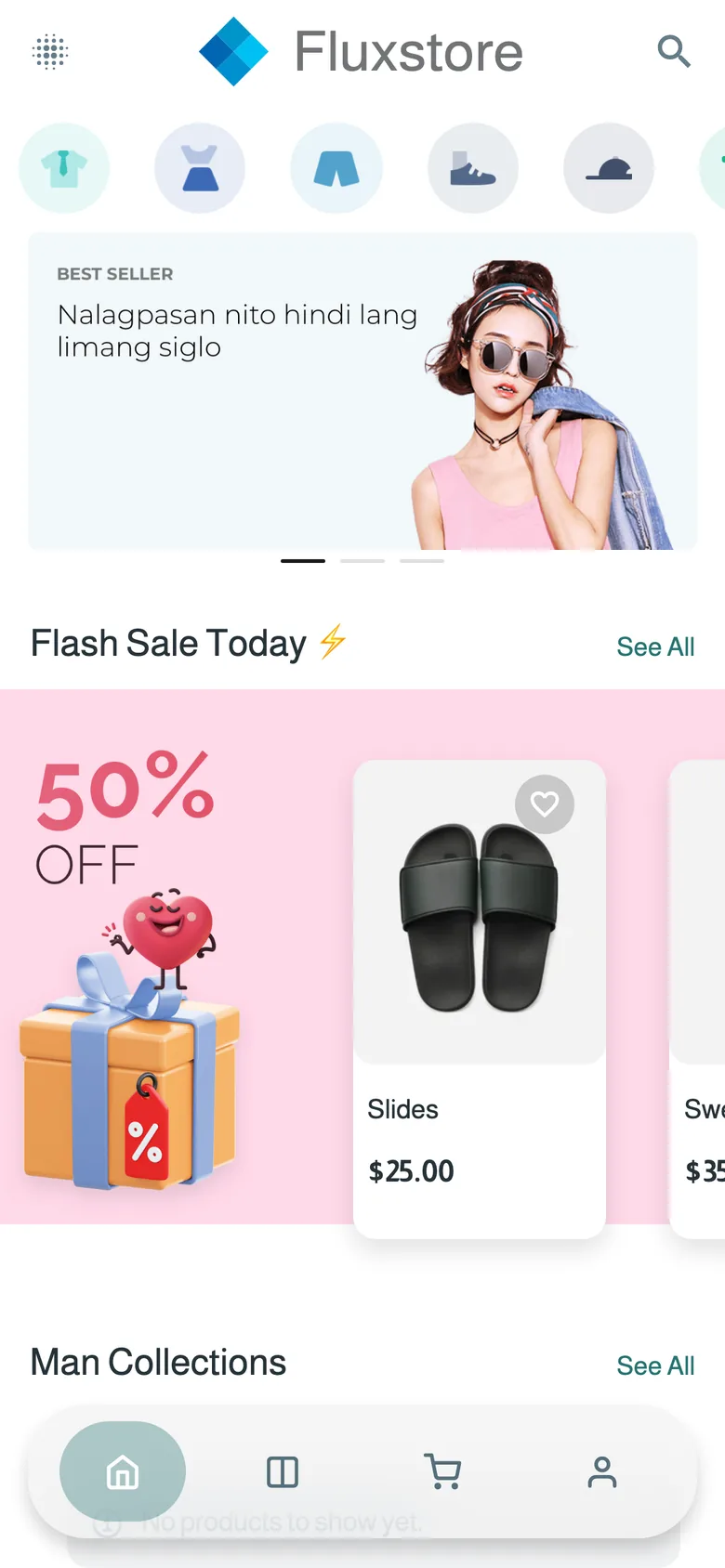
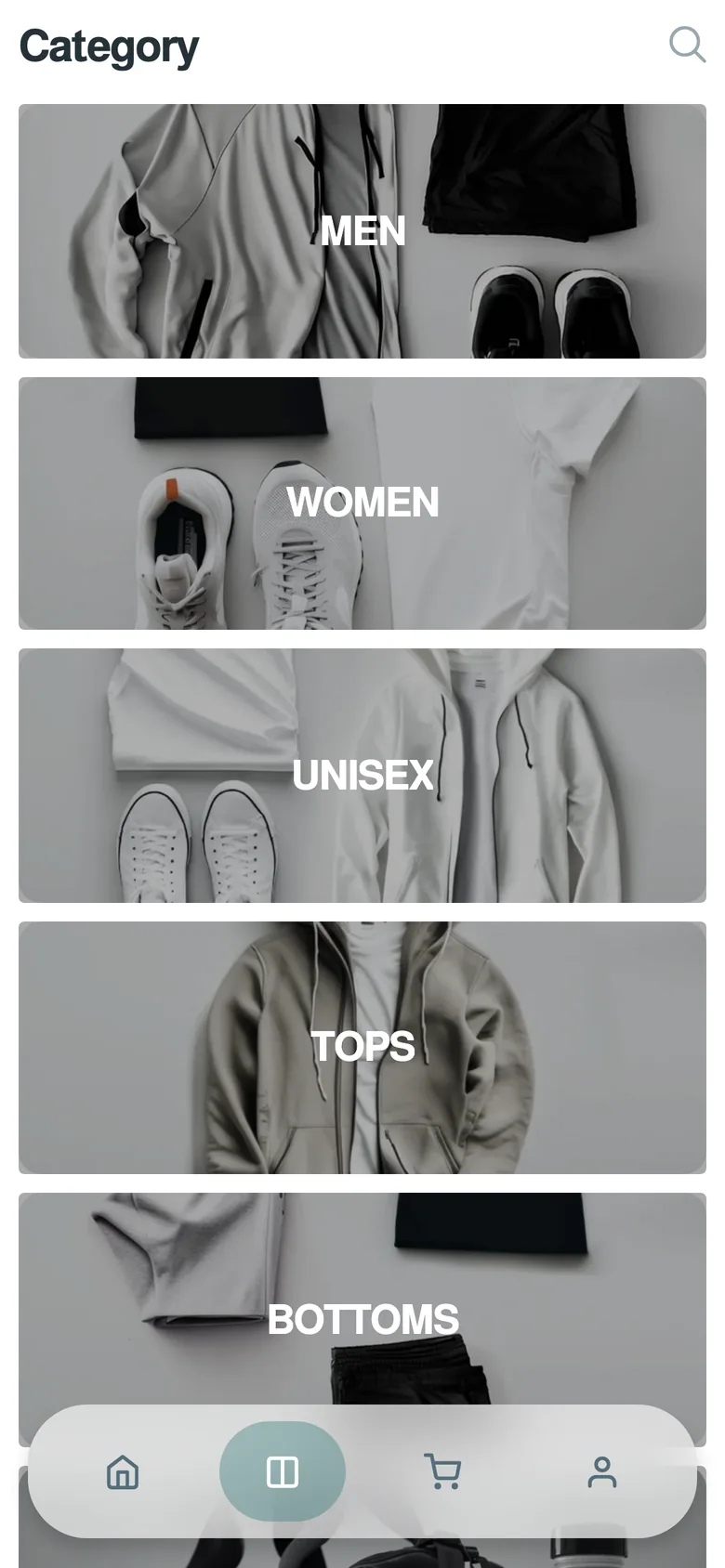
10 store designs
Pick a look in the editor. Switch any time.
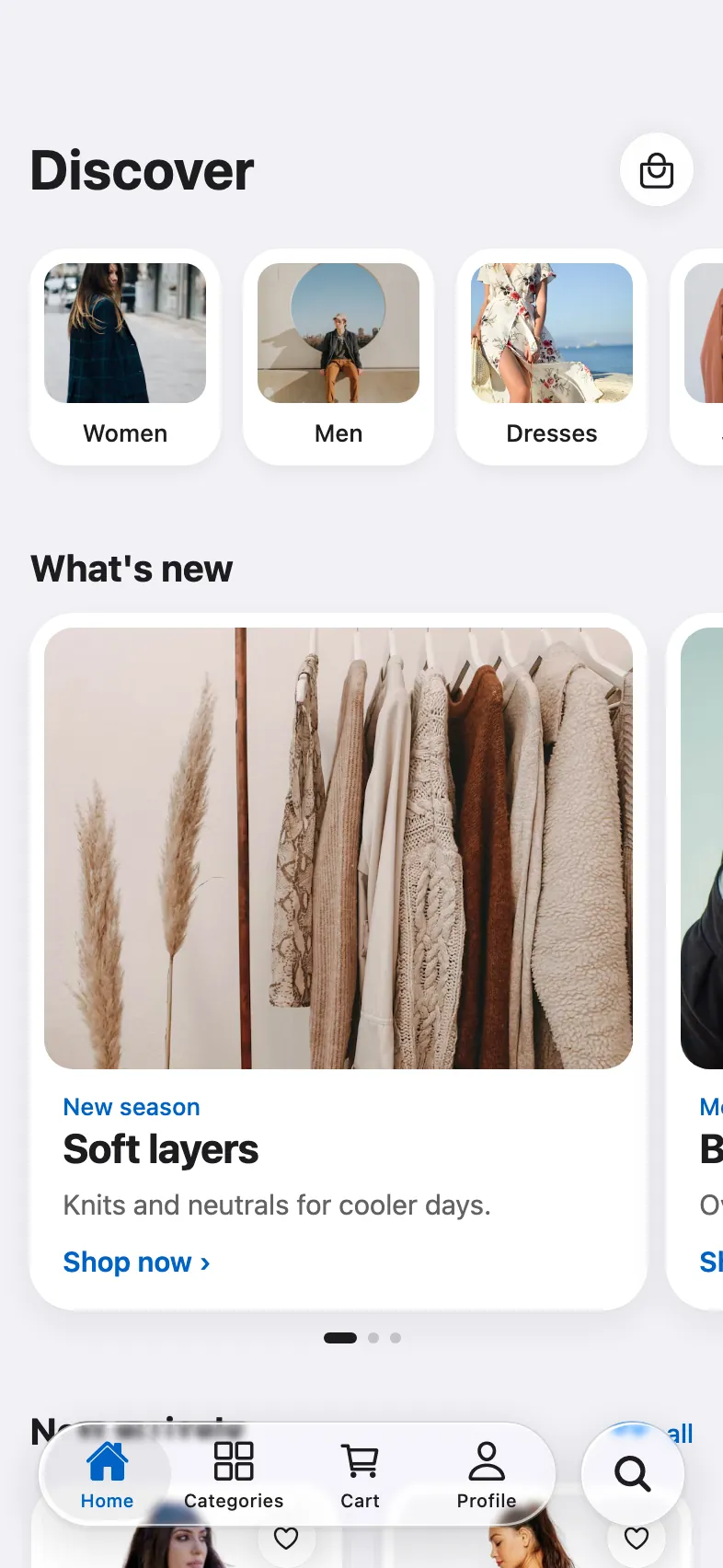
- LiquidAny store
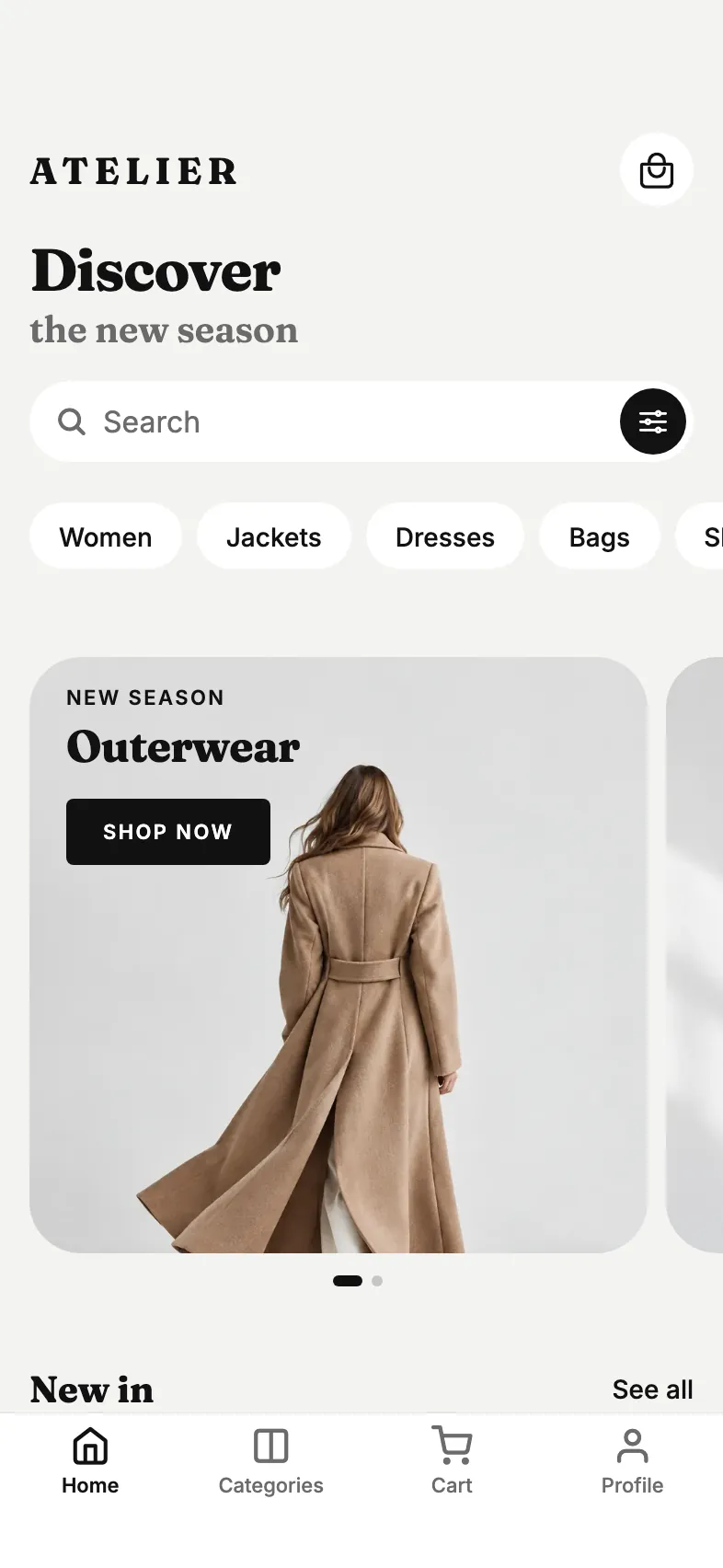
- EditorialFashion
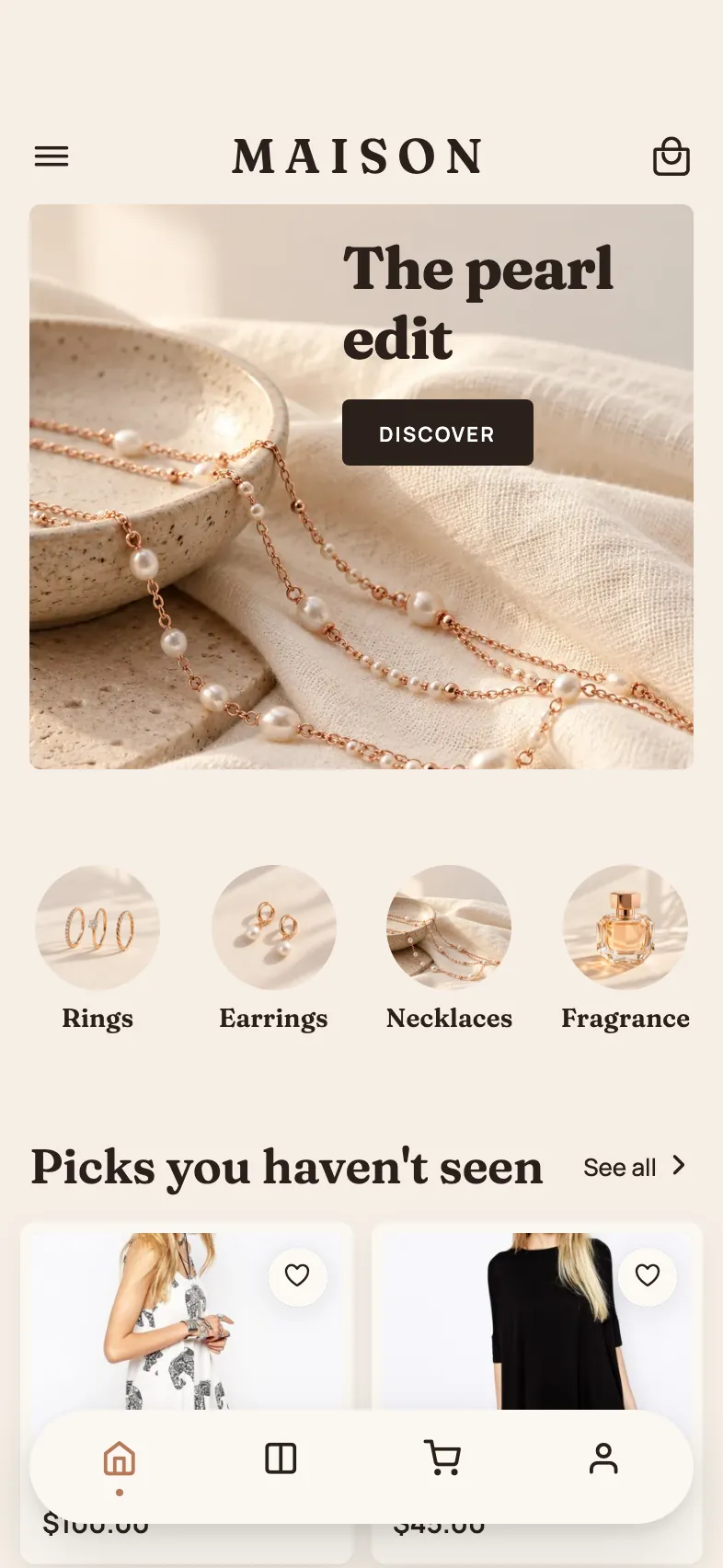
- BoutiqueJewelry & fragrance
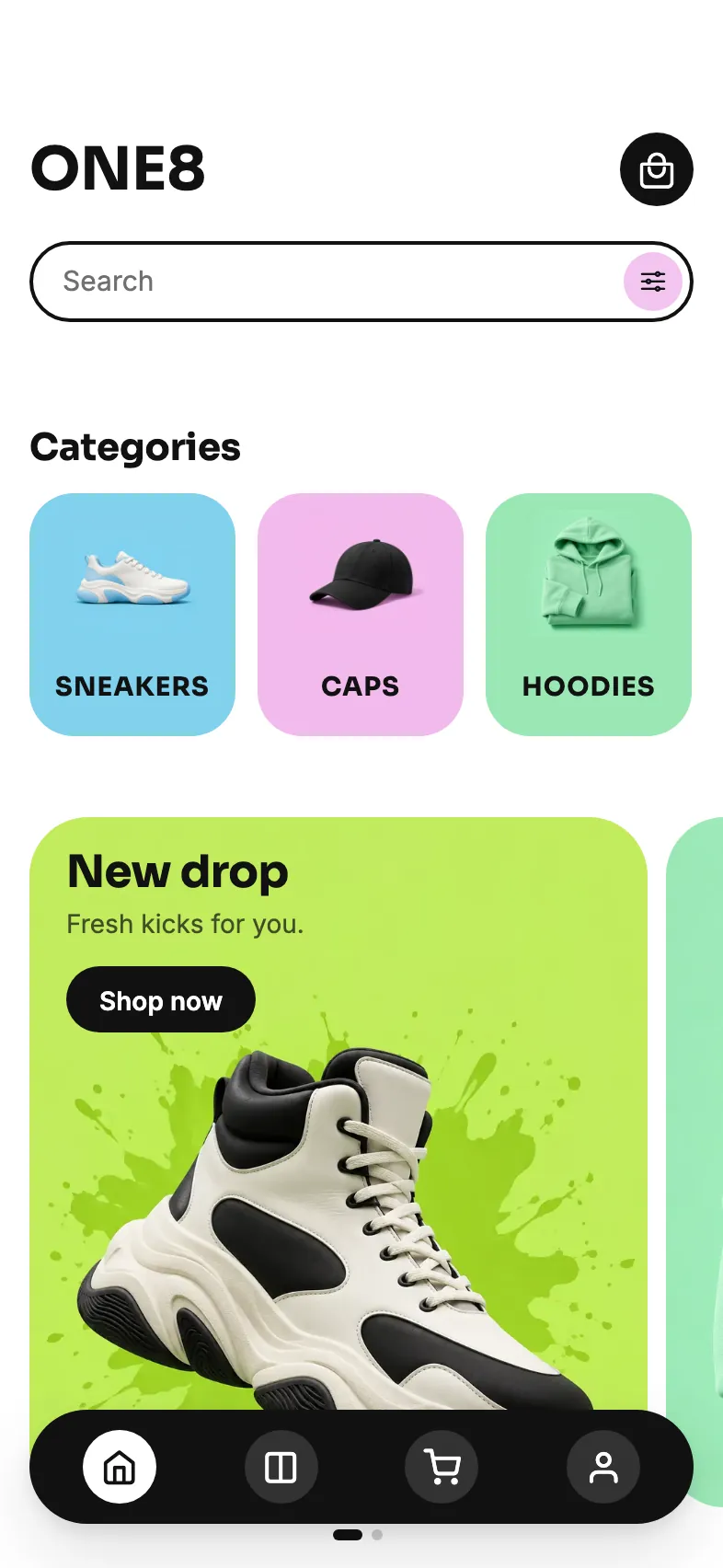
- SportStreetwear
- BeautySkincare
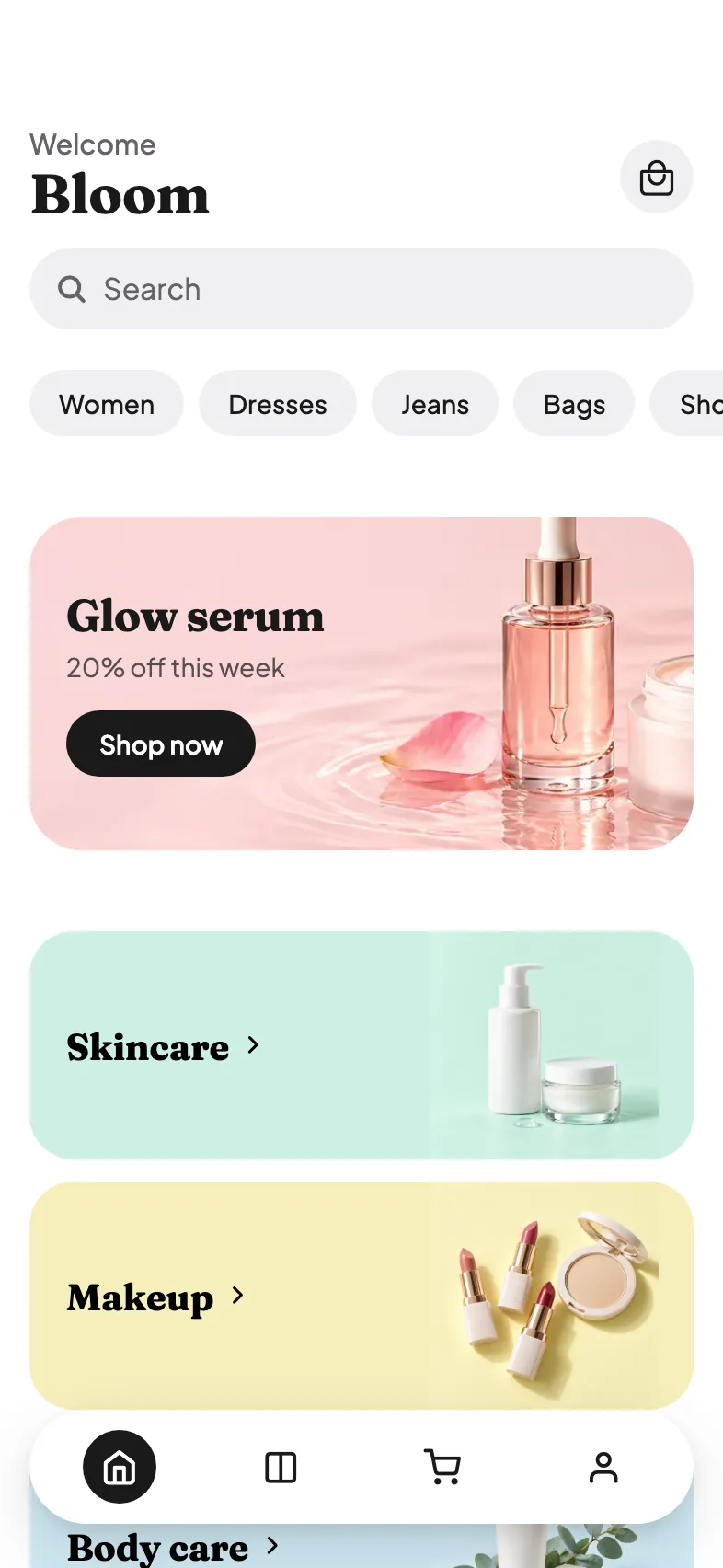
- FreshGroceries
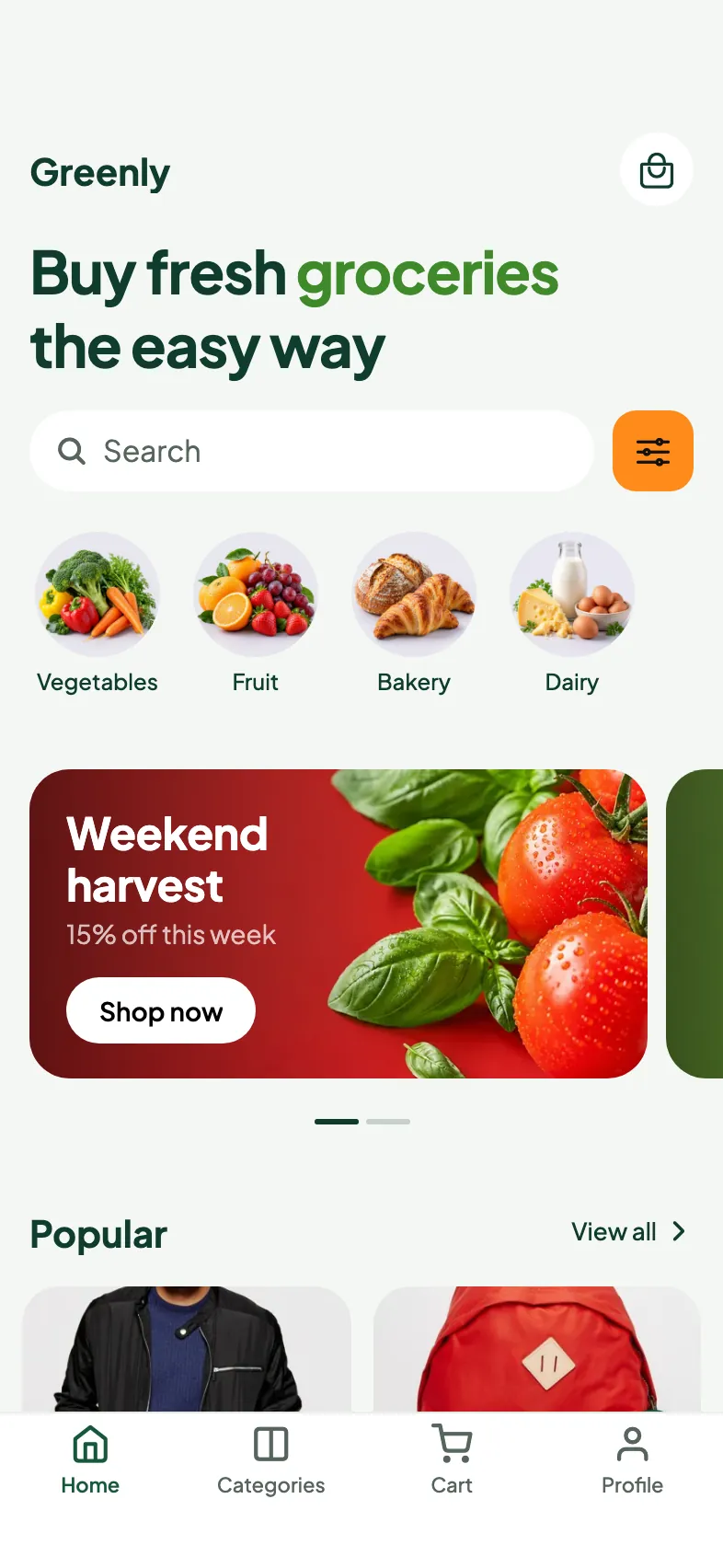
- NightTech & gaming
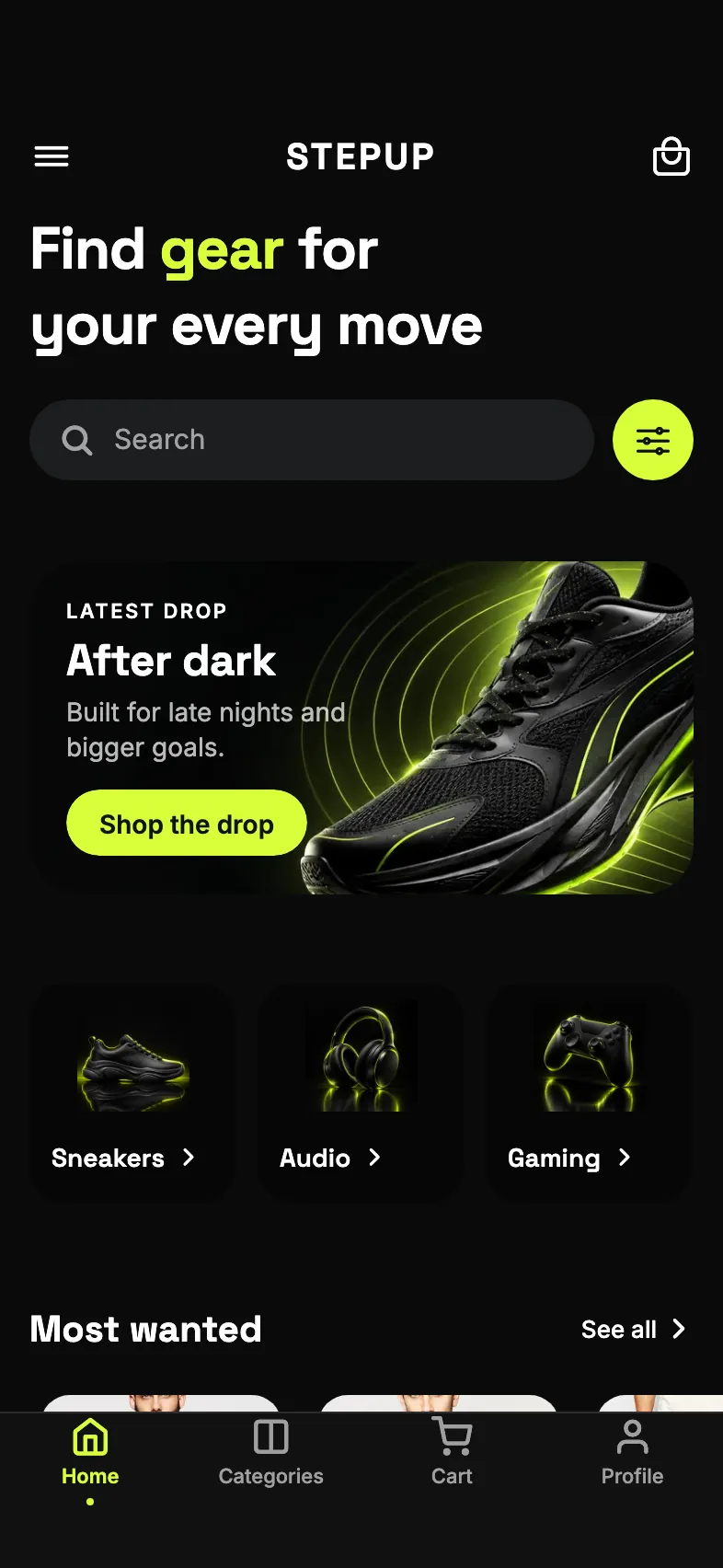
- MarketMarketplace
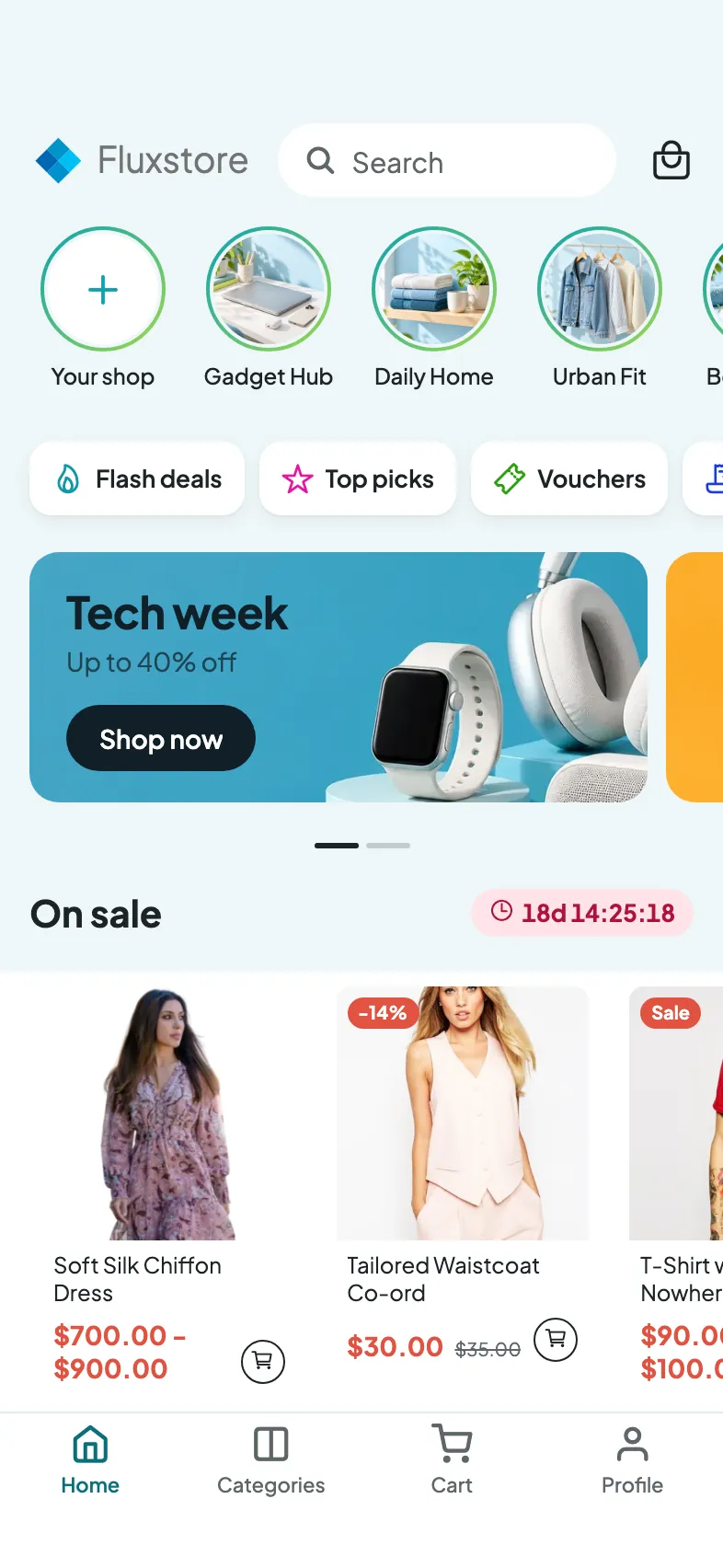
- DecorFurniture
- PlayToys & kids
Compare by store
| Feature | WooCommerce | MarketplaceDokan, WCFM | DirectoryListeo, MyListing | WordPress news | Shopify |
|---|---|---|---|---|---|
| Products, cart and orders | 3 | ||||
| Product reviews | |||||
| Coupon list | 1 | ||||
| Filters by brand, tag, attribute and price | |||||
| SKU search | |||||
| Google and Apple sign in | |||||
| Orders placed in the app for bank transfer or cash on delivery | 2 | ||||
| Order status tabs, cancel and refund | |||||
| Re-order | |||||
| Delete account | |||||
| Vendors | |||||
| Seller app | |||||
| Driver app | |||||
| Listings, map and nearby | |||||
| Listeo bookings | |||||
| AI assistant, with the FluxNative plugin | |||||
| Saved posts and writing comments |
- 1A typed coupon code still applies everywhere products are sold.
- 2On Shopify, every order goes through the store's checkout.
- 3With WooCommerce keys, a directory keeps a shop with WooCommerce's features.
Three ways to start
From a FluxBuilder app
Upload env.dart and your config files. Read the report before you buy.
- What moves as is, and what gets the closest match
- What the assistant builds next
- Your FluxBuilder app and site stay as they are
From the template
Pick the app type and connect your store. Home is built from your categories.
Copy an app
Same design and type, another store.
What's included
- Full source in TypeScript, on Expo and React Native
- One app for iOS, Android and the web
- Builds and store upload from FluxNative; builds use credits
- Unlimited apps for each site
- Every new version, free for life
- The AI assistant for changes; it uses credits
What you need
- Your site on WooCommerce (Dokan or WCFM for a marketplace), Shopify or WordPress
- Your app type's plugins, listed under Pick your app
- Apple and Google developer accounts, to publish; no Mac
- A FluxNative account on any plan, Free included
Tech stack
The versions the source uses today.
- Expo
- SDK 57
- React Native
- 0.86.3
- React
- 19.2.8
- TypeScript
- 6.0.3
- Expo Router
- 57.0.21
- Reanimated
- 4.5.5
- FlashList
- 2.0.2
- expo-image
- 57.0.5
Priced by site
- Per site
- $79
- 2 sites
- 10% off
- 3+ sites
- 30% off
- FluxStore buyers
- 30% off
- 1 site
- $79
- 2 sites
- $142.20
- −10%
- 3 sites
- $165.90
- −30%
- 5 sites
- $276.50
- −30%
Discounts don't add up: the highest one applies.
Bought FluxStore on Envato or inspireui.com? Your purchase code or licence key takes 30% off one purchase.
A site is the website your app names, connected once. Each has unlimited apps and builds.
Updates for life
Each new version reaches your apps with Remake, on their App tab.
Version history can undo it.
Remake keeps
- Bundle ID
- Signing
- Build numbers
- Store settings
- Connections
- .env
- Icons
- Site
- Look and colours
Licence in short
You can
- Make unlimited apps for each site
- Build and publish on every plan, Free included
- Take out the source of an app whose site is connected
- Get every new version, at no extra charge, while the purchase is active
- Sell the apps you make from it
- Move a site to another website by support request
You can't
- Resell the template itself
- Use one site for more than one website
Refunds within 14 days when nothing is used; unused sites can be refunded on their own.
After a full refund, apps stay but get no builds, publishing, source or new versions.
In full: the Terms and the support policy.
Support
- Ask in Help › Contact support.
- Guides in Docs.
- We usually reply within 1–2 business days.
Made by InspireUI
The team behind FluxStore, the Flutter store app. FluxNative Commerce is FluxStore rebuilt for Expo.
FluxStore by InspireUIQuestions
What is a site?
One website your app names, like yourstore.com. Each site has unlimited apps and builds.
Can I buy more sites later?
Yes, at $79 a site. Several in one purchase cost less.
I bought FluxStore before. Is there a discount?
Yes. An Envato purchase code or an inspireui.com licence key takes 30% off one purchase, once per licence. Discounts don't add up.
Which plan do I need?
Any plan, Free included. Builds and store uploads run on every plan.
Can I get a refund?
Within 14 days, when nothing is used. Unused sites can be refunded on their own.
Can I try it before I buy?
The report on your FluxBuilder app is free. After you buy, a new WooCommerce store app can run on the demo store until you connect yours.
Can I bring my FluxBuilder app?
Yes. Upload env.dart and your config files, and read the report before you buy. Your FluxBuilder app and site stay as they are.
Do sellers and drivers get an app?
Yes. Sellers on a Dokan or WCFM marketplace run their store in the app, and drivers see their deliveries. Each can also be its own app on the same site.
Do I need the FluxNative plugin?
Yes. The app runs on it: sign in, checkout, AI and messages. A news app reads its posts without it.
What does the AI assistant cost?
Nothing more in the app. On FluxNative credits each answer uses a few credits; with your own AI key, you pay your provider.
Can an app change type later?
No. You pick the app type when you create the app, and it keeps only that type's code. Another type is a new app on the same site.
Do I need to know code?
No. Connect your store, then ask the assistant for changes.
Can I publish to the App Store and Google Play?
Yes, from Publish. You need your own Apple and Google developer accounts; no Mac.
How do I get the source code?
Download it or push it to GitHub once the app's site is connected.
Can I move a site to another website?
Yes, by support request: Build › Request website change in the app.
What happens when a new version comes out?
You get it free. Remake brings it into your app, and Version history can undo it.
Can I sell the apps I make?
Yes, the apps you make from it. Never the template itself.
Launch your store app
One site, unlimited apps and builds, free updates for life.
Builds and store uploads on every plan, Free included.