Documentation / FluxNative Commerce
FluxNative Commerce
Native apps for your WooCommerce, Shopify or WordPress site in seven app types, sold by the site: $79 a site, with unlimited apps and builds for it and every new version free.
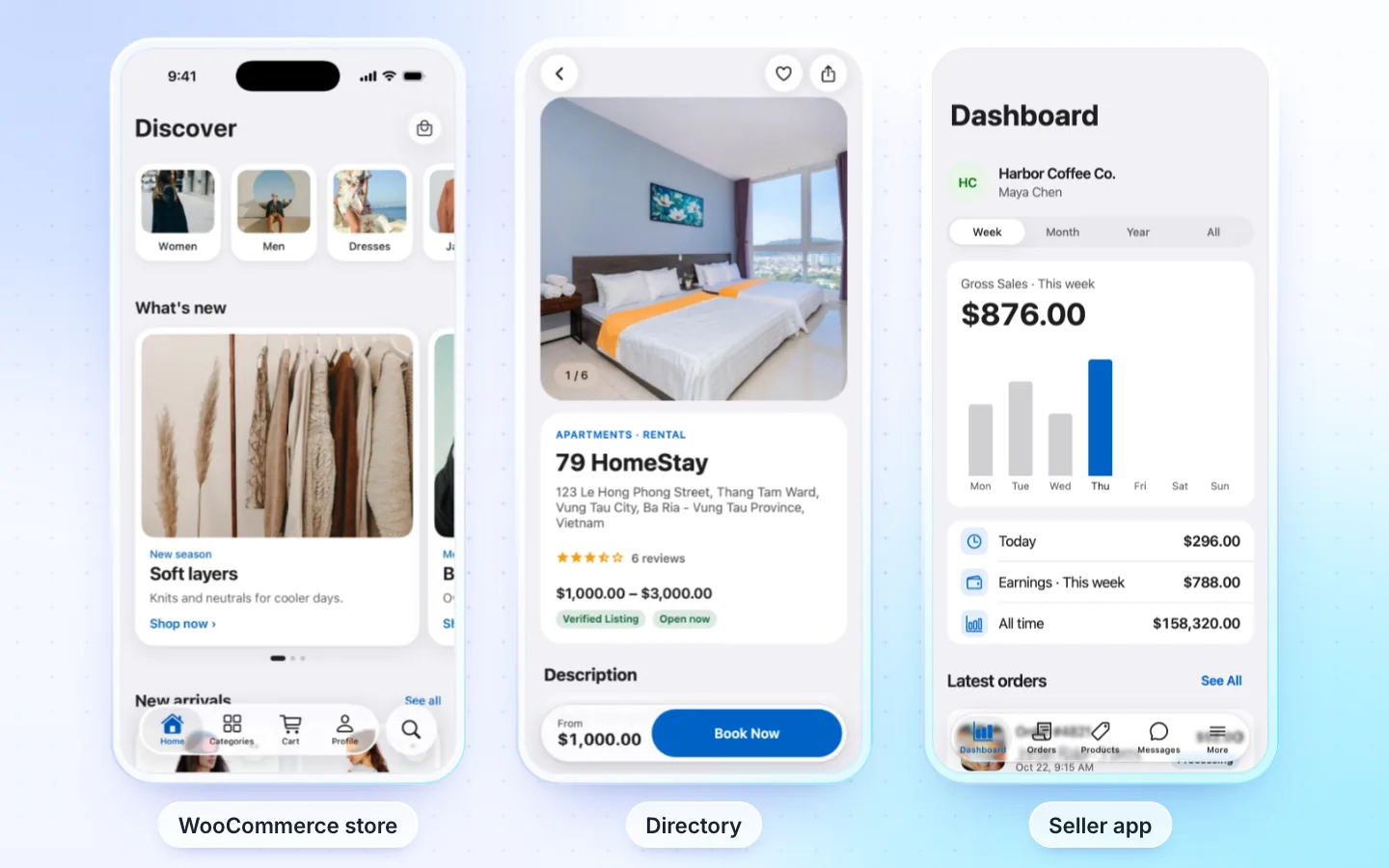
What it is
FluxStore, InspireUI's store app, rebuilt for Expo: one app for iOS, Android and the web, for a WooCommerce store (Dokan or WCFM for a marketplace), a Shopify store, a WordPress news site or a Listeo or MyListing directory. It reads your site live, so products, prices, stock and orders are your store's from day one. You get the full source, the assistant for changes, and builds and store upload from FluxNative. Its page: FluxNative Commerce.
App types
One purchase makes any of seven app types. You pick the type when you make the app, and it keeps only that type's code: another type is another app on the same site.
| App type | Runs on | Guide |
|---|---|---|
| WooCommerce store | WooCommerce | WooCommerce store app |
| Marketplace | WooCommerce with Dokan or WCFM | Marketplace app |
| Seller app | A Dokan or WCFM marketplace | Seller app |
| Driver app | WooCommerce, Dokan or WCFM with a delivery plugin | Driver app |
| Directory | Listeo or MyListing, with or without a WooCommerce shop | Directory app |
| WordPress news | WordPress | WordPress news app |
| Shopify store | Shopify | Shopify store app |
A site's shopper, seller and driver apps are apps of one website, so one site covers them.
Plugins
| Plugin | What it does | Needed by |
|---|---|---|
| FluxNative, the WordPress plugin | The app's backend: sign in, checkout, orders, cart sync, the seller and driver areas, listings and bookings, store pushes, messages and the AI assistant. Also a chat bubble on your site and a site health check | Recommended for every WordPress app type; optional for news |
| REST API key | The coupon list and my reviews. Connect with WooCommerce makes it | WooCommerce, marketplace, seller and driver apps, a directory with a shop |
| Storefront token | From Shopify's Headless channel: the products, cart and checkout | Shopify |
| FluxNative, the Shopify app | Makes the Storefront token and the FluxNative sales channel, once Your store offers Install in Shopify | Shopify, in place of the token |
The app uses the FluxNative plugin for everything it offers. Install it later and the app moves to it at its next start, with no new build; shoppers sign in once more. A news app reads its posts without it; sign in and comments need it. Each type's guide lists its own plugins, and the ones it also works with.
Not on wordpress.org yet: download the zip, then in WP admin choose Plugins › Add New › Upload Plugin.
Paying in the app
On a WooCommerce store with the FluxNative plugin, a signed-in shopper pays in the app: Stripe and Razorpay on your store's own pay page inside the app, MyFatoorah and Tap on their own page over it, each order paid once at its exact total. Cash on delivery and bank transfer are placed in the app; every other gateway pays on a web page. A marketplace pays on a web page, and a Shopify store in Shopify's checkout. Each type's guide lists the plugins it works with.
Ads
Google AdMob ads are built in and off. Turn them on under Server › Monetization, below your AdMob IDs: shoppers see Google's consent form first, and ads never show on the cart, checkout, account or chats. See Ads.
AI shopping assistant
With the FluxNative plugin, shoppers ask the app (and the chat bubble on your site) in their own words, and it answers from your store's own products, pages and orders:
- Products as cards with live price and stock, and the steps it takes while it works ("Searching products…").
- Sizes from the product's own size chart, several items in one message with Add all to cart, and a compare card for two or three products.
- Goes well with it after an add: your cross-sells, then what other orders bought with it.
- Orders of a signed-in shopper, with Cancel order or Request a refund behind the app's own confirm. The AI never does either itself.
- Memory, if the shopper turns it on: sizes, budget and style, kept in their account on your site, to see, change or forget.
- Talk to a person with the question already written (WhatsApp, e-mail, Message the store or seller), a photo search, and on a marketplace each seller's shipping time.
It runs on FluxNative credits or your own AI key, set on the plugin's AI tab. On credits, search by meaning indexes your products once for 1 credit per 25 (2,000 products on Free, 10,000 on a paid plan) and searches are free. The plugin's AI chat › Activity shows Insights: questions, those it could not answer, adds to cart from the chat, hand-offs and credits. A Shopify store's chat bubble gets part of it (no memory, order actions, search by meaning or Goes well with it); directory and news apps have their own assistant for places and bookings, or articles.
In every app
- iOS, Android and the web, from one TypeScript source on Expo and React Native.
- 50 languages with a picker in the app, right-to-left included, light and dark.
- Named looks: a whole app's design set in
src/config/look.ts. - The assistant for changes, builds and store upload from FluxNative.
What you need
- Your site, with its app type's plugins.
- Apple and Google developer accounts to publish. No Mac.
- A FluxNative account on any plan, Free included.
Prices
You buy sites. A site is one website, like yourstore.com, with unlimited apps and native builds for it. Each site costs $79; one purchase of several costs less:
| Sites in one purchase | Price |
|---|---|
| 1 | $79 |
| 2 | $142.20, 10% off |
| 3 | $165.90, 30% off |
| 5 | $276.50, 30% off |
| 10 | $553, 30% off |
- Bought FluxStore before? An Envato purchase code or an inspireui.com licence key takes 30% off one purchase: 1 site $55.30, 2 sites $110.60. Each licence works once.
- Discounts never add up: a purchase gets the biggest one, so from 3 sites no code is asked for.
- Buy more sites any time. Each purchase counts only its own sites, so one more site is $79.
- One payment, not a subscription. New versions are free for life. Builds and the assistant use credits.
See it with your store
Before you buy, open Templates › FluxNative Commerce, type your site's address under See it with your store and choose Try it. The app opens in a phone frame with your own products and categories. No sign in, no keys, no credits.
- Shopify: tick Shopify store (a
myshopify.comaddress does it for you) and paste your Storefront token from Shopify's Headless channel. It's never saved. An Admin API token (shpat_…) is refused. - Shopping only: sign in, checkout, seller and driver apps aren't part of the try.
- Directories (Listeo, MyListing) need the FluxNative plugin; without it you see the demo store.
- Start with this store leads to the purchase. After it, Start from the template opens with your address filled in.
Buy sites
- Open Commerce in the sidebar and choose Buy sites (later, Buy more sites).
- Set Sites. The Total shows any discount.
- Bought FluxStore before? Choose Bought FluxStore before? Get 30% off and enter your code or key.
- Choose Buy for … and pay at checkout.
- Back on the Commerce page, wait for Confirming your payment…. The dialog then offers the ways to create your app.
Buying needs permission to manage billing. A purchase belongs to the workspace and holds up to 100 sites. Have a FluxBuilder app? Check my app reads it and shows the report before you buy.
The Commerce page
Commerce in the sidebar lists your sites and Commerce apps, with Buy more sites and Create app at the top.
- Apps: each app with how it was made (From FluxBuilder, From template or Copy), its version, its site and its newest build. New version opens its update.
- Sites: each connected website with its app and the day it connected, then your free sites. Request website change asks support to move one. Only billing roles see the websites.
- What's new in … shows the newest version's notes while an app is behind.
Change the look
In a store or marketplace app, Store look, at the top of the Design tab, offers 10 store designs: Liquid, Editorial, Boutique, Sport, Beauty, Fresh, Night, Market, Decor and Play. Pick one, then choose:
- Style only: new colours, fonts and cards. Your Home sections stay.
- Whole Home: the look's Home sections too. Your categories stay.
It's free, makes one version (Look: …) and Version history undoes it. An older app asks you to update first. Applying needs permission to edit code.
Plans
- Commerce apps don't count toward your plan's app limit.
- Once its website is connected, an app builds and goes to the stores on every plan, Free included. A workspace with a purchase can buy credit top-ups on Free.
- The preview, editing and share links need no site.
Licence and refunds
- Licence: make, change, sell and publish any number of apps for each site; the template itself stays InspireUI's and can't be resold. Terms › FluxNative Commerce
- Refunds: ask from Help within 14 days, in full while no site is connected and nothing was built or taken out, or for the unused sites alone. Support policy › Refunds
Related
Create a Commerce app · Connect your store and website · Update a Commerce app