Landing pages
Make a one-page website for your app from chat that links to its store pages, and put it online on a host you own.
Updated Oct 12, 2026
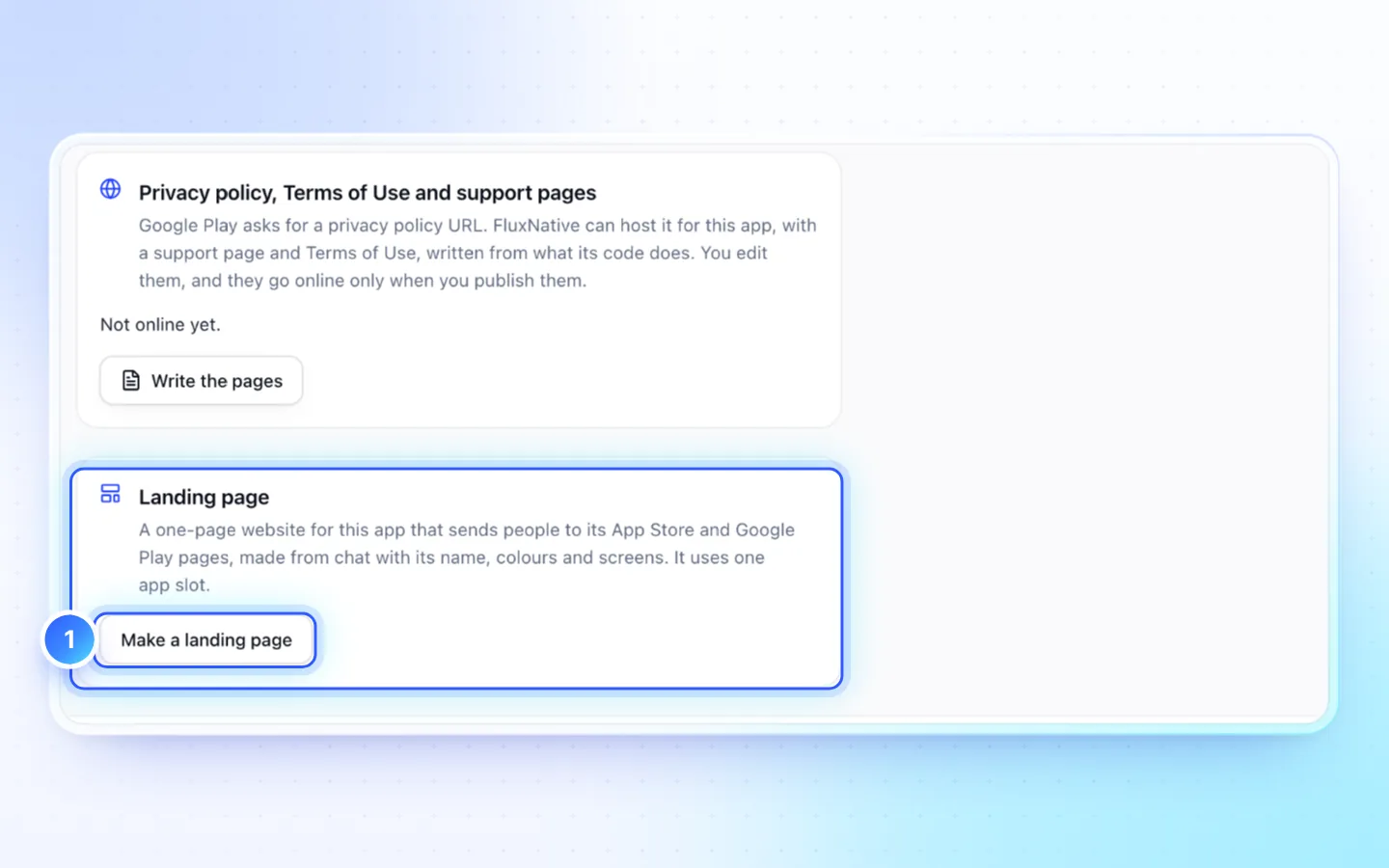
Steps
- In the app, open Publish › Store page › Landing page › Make a landing page. Or use Create landing page on the dashboard.
- Set the Product name, shown on the page, and the Project name, which only you see.
- Ask for changes in chat. Edit in the preview and the Design tab (colour, corners, headline font) cost no credits.
- In the landing page's Publish, connect a host you own. New to this? Netlify or Cloudflare: free accounts that suit an app's marketing page. Vercel's free Hobby plan is for non-commercial use only, so a page that advertises an app needs Vercel Pro. Firebase Hosting suits an app already on Firebase. Publish links each sign-up page.
- Press Deploy. It goes live at an address like
your-app.netlify.app.
Your app's video
Make the app's ad first, on the app's Publish › More › Video ads, then ask the landing page's chat to add the app's video: it places a web copy with a poster image. The footage is the app's own, never stock. A page without an app can show your own video: upload it with Upload to public/ in Code, then ask the chat to place it. See Video ads.
Keep it in sync
Nothing updates by itself: edits reach the live site only when you deploy again. Publish says how many saved changes the live site is behind, and its button shows the count; each deploy in its history names the revision it shipped.
What each host's credential can do
- Vercel: a token reaches every project, domain and setting in its scope, so a team made just for this page keeps it narrow. Give it an expiry, such as 90 days; revoke it under Tokens.
- Netlify: a personal access token reaches every site of the account. Give it an expiry; delete it under Personal access tokens to revoke it.
- Cloudflare: start from the Edit Cloudflare Workers template, limited to the account.
- Firebase Hosting: a service account with only the Firebase Hosting Admin role (Google Cloud console › IAM & Admin › Service accounts), never the Admin SDK key from Project settings, which can change the whole project.
FluxNative uses the credential only to deploy this page and manage its domain, when you press Deploy or change the domain. The assistant never sees it.
Good to know
- Hosting can cost nothing on the host's own plan, but each deploy from FluxNative that goes live costs 25 credits; a failed one costs nothing. FluxNative does not host landing pages itself.
- Publish warns, never blocks, when a store button looks live but goes nowhere, when the app is live but its button is not linked yet, or when the page has no privacy link.
- It is a project of its own and uses one of the plan's app slots. Its chat reads the app's source but never changes it, and links this page's Publish, not the app's.
- Store buttons show Coming soon until the app is live; FluxNative knows both store addresses, so you never paste them. Then ask the page's chat to link them and deploy again. Until then its checklist item for the links reads After the app is live: nothing to send, and the turn is not unfinished.
- Your own domain: deploy once, type it under Custom domain, add the host's DNS records at your registrar (usually a CNAME for
www, an A record for the bare domain, or both), then Check now. On Vercel and Netlify bothwwwand the bare name open the page once both records are in; on Cloudflare and Firebase Hosting only the name you type works, so add the other there as a redirect. Domains cost no credits. - A deployed page carries its title, description and Open Graph tags, plus a canonical link,
og:url, an absoluteog:image(the app's icon unless the page names one),robots.txtand a one-pagesitemap.xmlonce its address is known: from the second deploy, or once a custom domain is active.
Related
Did this page help?