Google Play testing
Put an App Bundle on Play's internal testing track, the first by hand, add testers, open it to anyone with the link, and run Google's closed test if needed.
Updated Oct 21, 2026
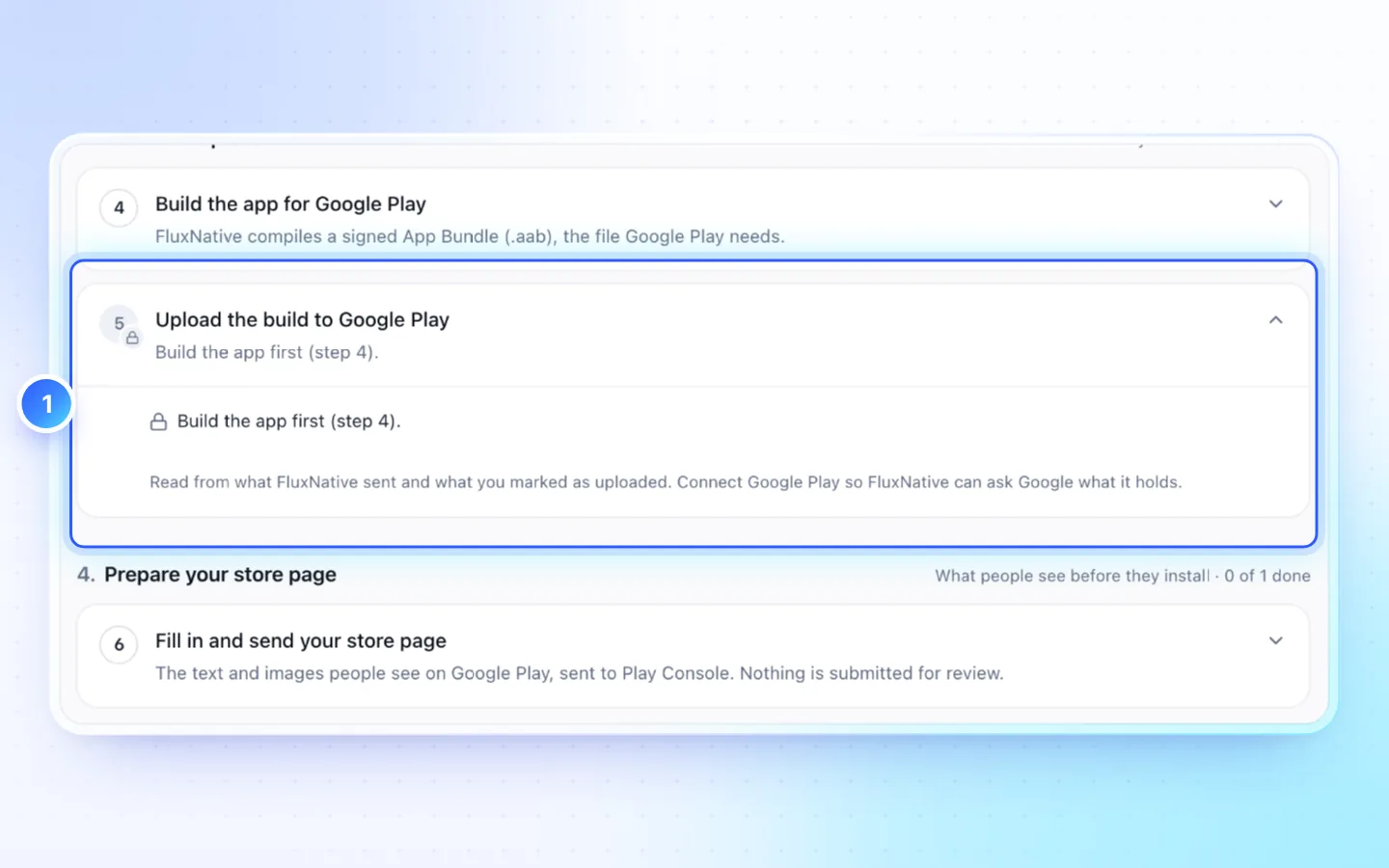
The first upload
- In Publish, pick Google Play, open Upload the build to Google Play and click Download for the AAB.
- In Play Console › Test and release › Testing › Internal testing, on Testers, create an email list with your phone's Google account.
- On Releases, choose Create new release, upload the AAB, then Next and Save and publish. It is usually ready within minutes; a new app's first can take hours.
- Open the link under How testers join your test on your phone, accept, and install from Google Play.
- Back in Publish, click I uploaded v…. FluxNative checks it with Google Play and locks the package name.
Later builds go up from the same step with Send v… to Google Play, or build and upload in one go with Build and send to Google Play.
Open testing
Internal testing reaches your own list only. To let anyone with the link install the app, press Send to open testing on the same step: the build Google already holds moves to the Open testing track. Set the countries and copy the opt-in link in Play Console › Test and release › Testing › Open testing. Google reviews the first open release.
Google's closed test
- In Play Console, create the Closed testing track with at least 12 testers; once a release is out, send them the link under How testers join your test.
- On the step Run Google's closed test, press Send the build to closed testing.
- Record the start date and the number of testers. The step counts the 14 days.
- Apply for production access on the app's Dashboard. Google answers within about 7 days; then press Google granted production access.
Good to know
- Internal testing has no review and up to 100 testers.
- FluxNative saves uploads and store pages in Play Console without sending them for review, so changes you left waiting there are never sent along. If testers don't get a build, open Publishing overview, check the list, then Send changes for review.
- Only personal accounts created after 13 November 2023 need the closed test: 12 opted-in testers for 14 days in a row. FluxNative can't recruit them, so start early. Until then Release to production waits.
- On paid plans an upload runs the Release and Security checks first; a must-fix finding stops it.
Related
Did this page help?