Video ads
Make a 15 or 30 second ad filmed from your real app, voiced and captioned in your language, plus the App Store's app preview video.
Updated Oct 12, 2026
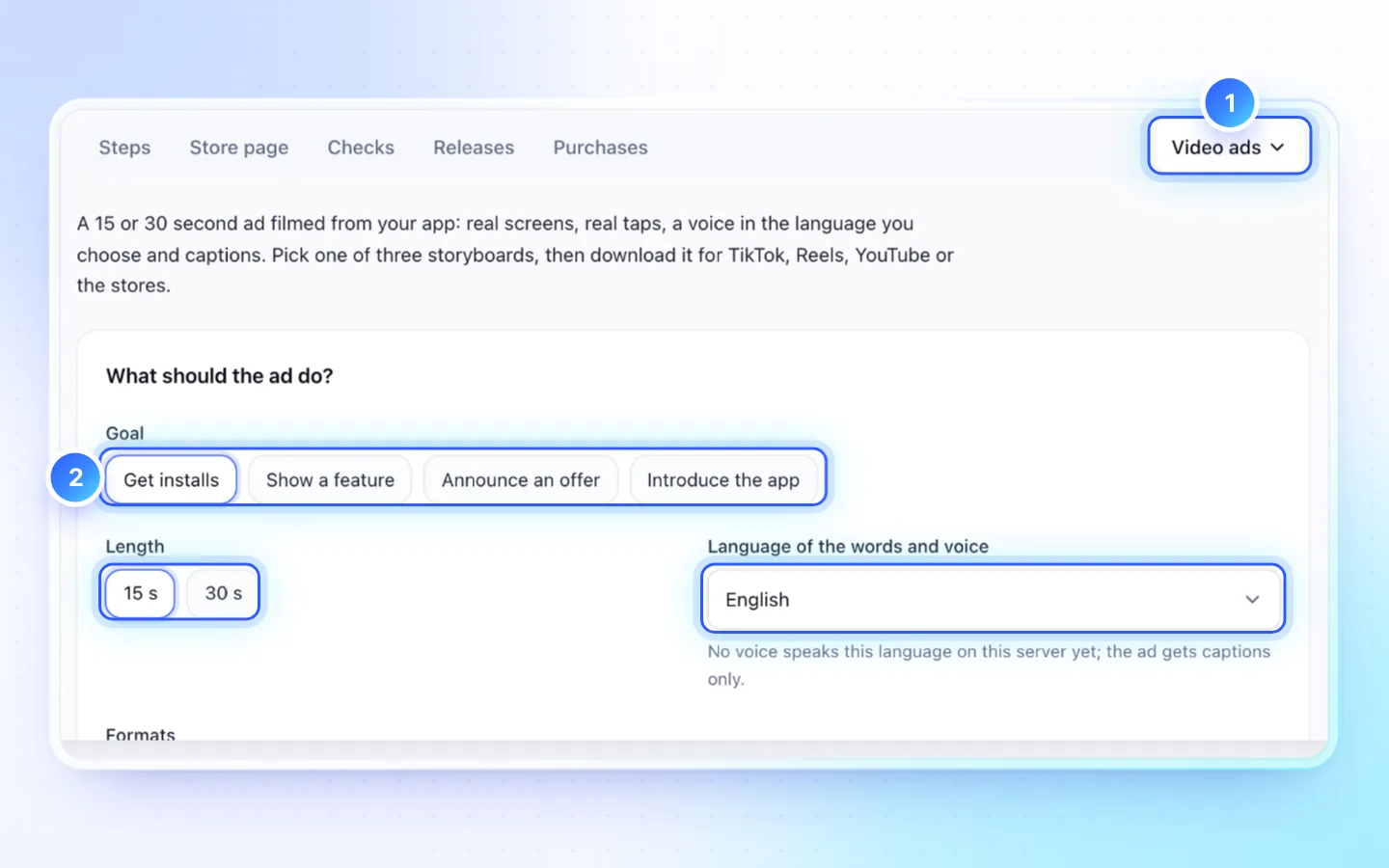
Steps
- Open Publish, then More › Video ads (Creator and up).
- Write the brief: the goal, 15 or 30 seconds, the formats, the language and a style.
- Pick one of three storyboards. Edit the words, reorder scenes, or press Rewrite for one scene.
- Press Make the ad. It takes about 5 minutes per format, and you can leave the page.
- Download each MP4 and its captions (SRT), or press Send to App Store for the App Store cut.
Formats
| Format | Size | For |
|---|---|---|
| 9:16 | 1080×1920 | TikTok, Reels, Shorts, Stories |
| 4:5 and 1:1 | 1080×1350, 1080×1080 | Feeds |
| 16:9 | 1920×1080 | YouTube, Google Play's promo video |
| App Store preview | 886×1920 | The iPhone app preview, with no phone frame or touch marks |
| Landing page loop | 886×1920 | The phone on your app's landing page: the app's screen and taps alone, with no words, sound or end card |
Good to know
- An ad costs 120 credits, plus 30 for each extra format, charged only for the formats delivered. A failed or canceled ad is refunded; writing and planning it use about 25 credits.
- The footage is your real app; nothing in it is generated. Storyboards written for an older version offer Write fresh storyboards.
- Send to App Store names the version and language first, and submits nothing for review.
- Voices: Vietnamese, English, Spanish, French, German and Brazilian Portuguese. Other languages get captions without a voiceover.
- The end card shows the App Store or Google Play badge only for a store where the app is live; while it is on no store, the ad asks no one to download it.
On your landing page
Ask the app's landing page chat to add the app's video. It places a web copy of the ad with a poster image (16:9 and 9:16 when the ad has them); a voiced ad plays with its sound when a visitor clicks. With the Landing page loop format, the page's phone shows the app in use, silently on a loop. Adding it costs no credits beyond the chat message; the files count toward your plan's storage. See Landing pages.
Related
Did this page help?