Fix a failed build
Read who fixes a failed build, use Fix with AI for code problems, fix settings where the reason says, then retry; failures are never charged.
Updated Oct 11, 2026
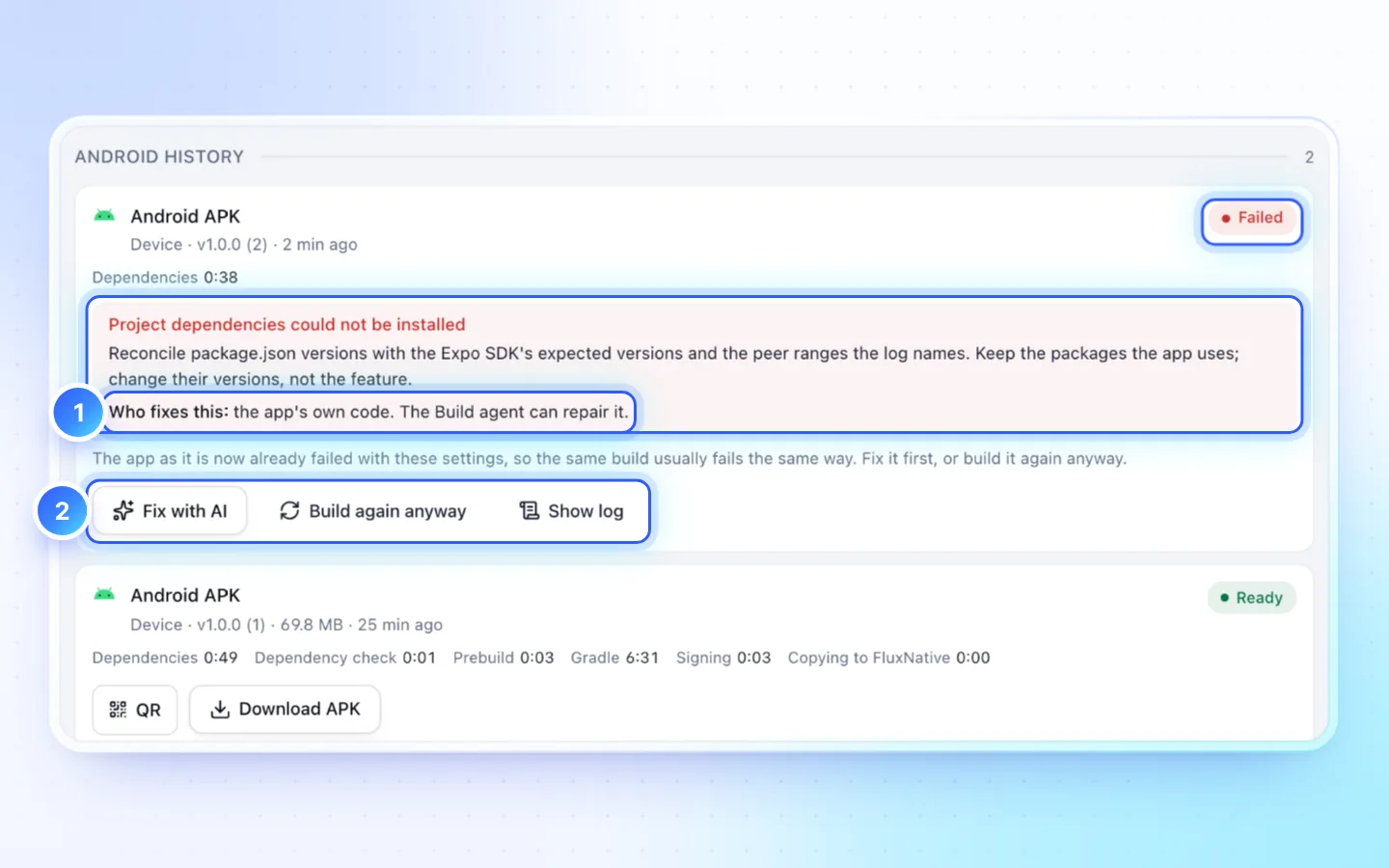
Who fixes this
| It says | What to do |
|---|---|
| The app's own code | Fix with AI, then build again |
| You | Do the step it names (Publish, App settings, Server › Monetization), then Retry build |
| FluxNative | Retry build once. If it fails again, Contact support on that build; the form fills in its BLD- reference |
| Apple or Google | Accept the agreement (App Store Connect › Business) or wait, then Retry build |
The buttons
- Fix with AI sends the redacted log to the Build agent. It asks first, may build up to twice to check (each charged only if it succeeds), and its own work usually costs 50 to 250 credits.
- Retry build runs the same build again, after showing the price.
- Build again anyway replaces Retry when the app's code failed and has not changed: it usually fails the same way.
- Show log opens at the first error; Copy log copies it for support.
Common causes
| You see | Do this |
|---|---|
| A compile, bundling or iOS archive error | Fix with AI, then retry |
| An iOS signing error | Set it up for me in Publish's signing step, or upload the right certificate or profile. See iOS certificates and profiles |
| The build queue is full | Retry after an active build finishes |
| The source changed while queuing | Start the build again |
| Builds paused on FluxNative's side | Wait: the button turns back on by itself |
| Native builds are not set up | Contact support |
Good to know
- A build the checks refused never started: no credits, no build number,
app.jsonunchanged. - Upload failed in Publish needs no rebuild: fix the reason and press Try again. See Troubleshooting.
- Service status shows whether Android and iOS builds are being taken.
Related
Did this page help?