Export the project
Download the whole Expo project as a .zip, or push it to your own GitHub repository, with notes on running and building it without FluxNative.
Updated Oct 23, 2026
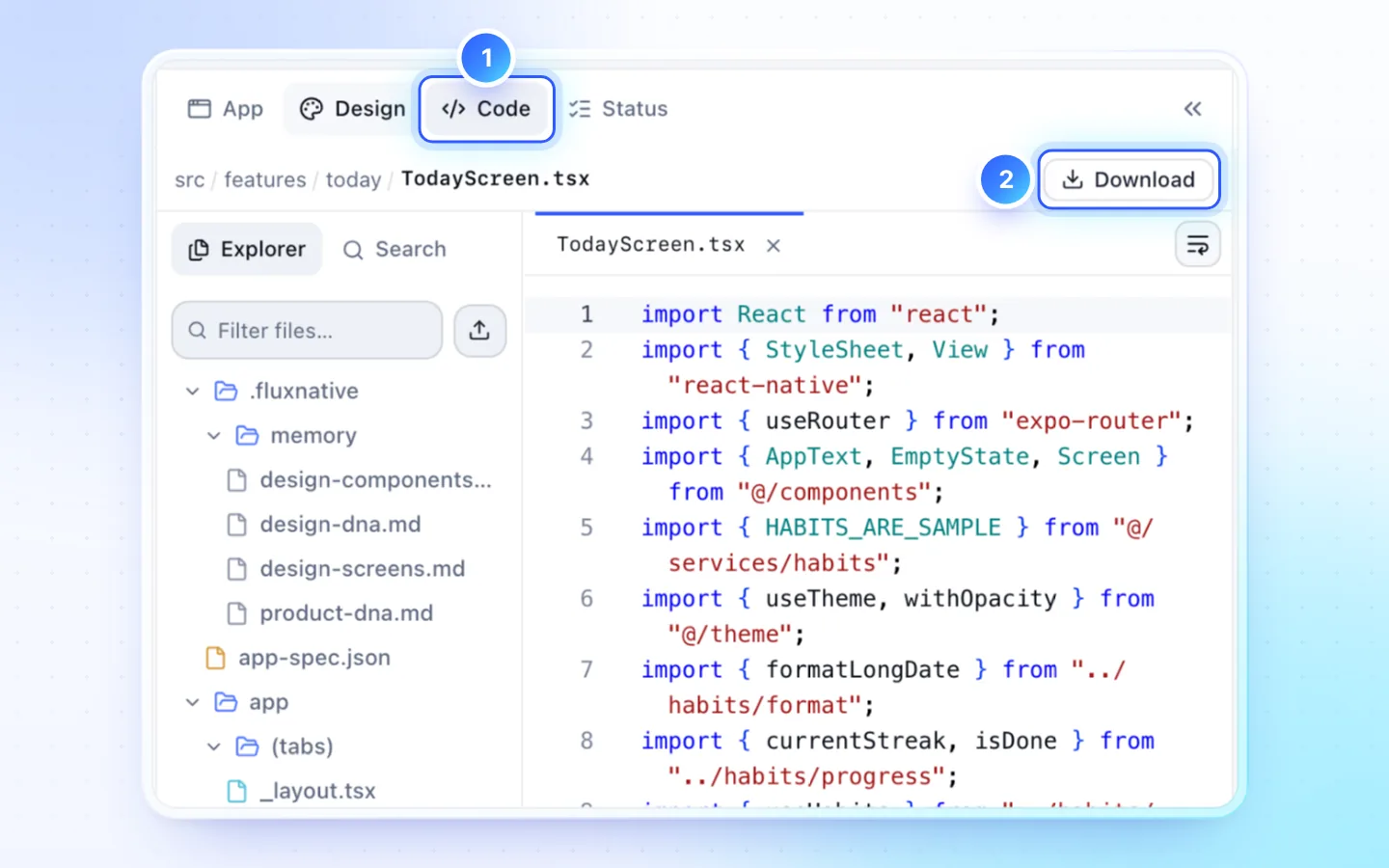
Steps
- Click Download in the Code tab's bar, or Download source (.zip) in the app's menu on Dashboard or Projects.
- You get the current revision as a .zip. A card at the bottom of the page shows how much has arrived and the time left, with Cancel; closing or reloading the page stops the download. If your browser doesn't save the file, click Save again on the note that follows. It installs, runs and builds with no FluxNative package or account.
- Run it on your computer:
npm install
npx expo run:ios # or: npx expo run:android, npm run webWhat is in the file
- Included: source, assets,
.envwith the public values, and the app's.fluxnative/notes for coding agents. HANDOFF.md: how to run it, build it for the stores with EAS or Xcode and Gradle, and what a FluxNative build adds that yours must supply.LICENSE-NOTES.md: what the Terms say about owning the code.- Not included: secrets and connections under Server, the Android signing key, signed binaries (download them from Build), chats, version history, store listing text and the privacy pages' text.
What a FluxNative build adds
- Privacy, terms and support links:
EXPO_PUBLIC_PRIVACY_POLICY_URL,EXPO_PUBLIC_TERMS_URLandEXPO_PUBLIC_SUPPORT_URL, from the app's privacy pages on its landing page. Without them the About screen, and the About · Privacy · Terms line an app with no Settings or Profile shows at the end of its first screen, hide those links. - Push: the
EXPO_PUBLIC_FLUXNATIVE_PUSH_*values and theexpo-notificationsplugin. Without them FluxNative's push campaigns don't reach your build. - Firebase on Android:
google-services.json. - Signing: the Android upload key and the iOS certificate and profile.
Who owns the code
The Terms say you own the apps FluxNative generates for you, including exported source code, and that the templates and components FluxNative provides stay InspireUI's, with no rights beyond using the service and the apps it generates for you. That covers code an app brought from a template; for more than using it in your app, ask support.
Good to know
- A workspace that has paid once keeps exporting after its plan ends. A pending or refunded template purchase does not count.
- An app from a Premium template, such as FluxNative Commerce, downloads and pushes only once its website is connected (Connect your store and website).
- Owners, admins and developers can export. A viewer needs View source and download builds and Export source in Team › Role permissions; a member limited to some apps exports only those.
- A download is refused while two files differ only in letter case (
Mascot.tsxbesidemascot.ts): on macOS and Windows they are one name. Rename one in Code, then download again. - Nothing comes back from an outside copy, GitHub included. To let a coding agent edit this project directly, use Connect an editor.
Push to GitHub instead
- Click GitHub in the Code tab's bar, beside Download.
- Enter the repository (
owner/nameor its link) and a fine-grained token with Contents: Read and write on that repository only. The branch is optional:fluxnativewhen left empty. Save and test checks that the token can push. - Click Push. Each push is one commit on that branch with the app's latest saved source and the same
HANDOFF.mdandLICENSE-NOTES.md, without.env.
- One way. Edits made on GitHub never come back, and the next push replaces the branch's files (its history stays). Merge the branch into your own with git, and avoid pushing to
main. - A push is refused while the source holds a server-only key or a signing key file (
.jks,.p12,.p8), naming each file. - GitHub limits how fast new files arrive, so the first push of an app with many images can take a few rounds. The dialog waits and pushes again by itself, and never sends a file twice.
- In a public repository anyone can read the code, including code an app brought from a template.
- Connecting needs Edit code; pushing needs Export source and View source and download builds, and the same past purchase as Download.
Related
Did this page help?