Push notifications
Turn push on, connect Firebase for Android and an APNs key for iOS, add an in-app opt-in, build, then send from Push notifications.
Updated Oct 12, 2026
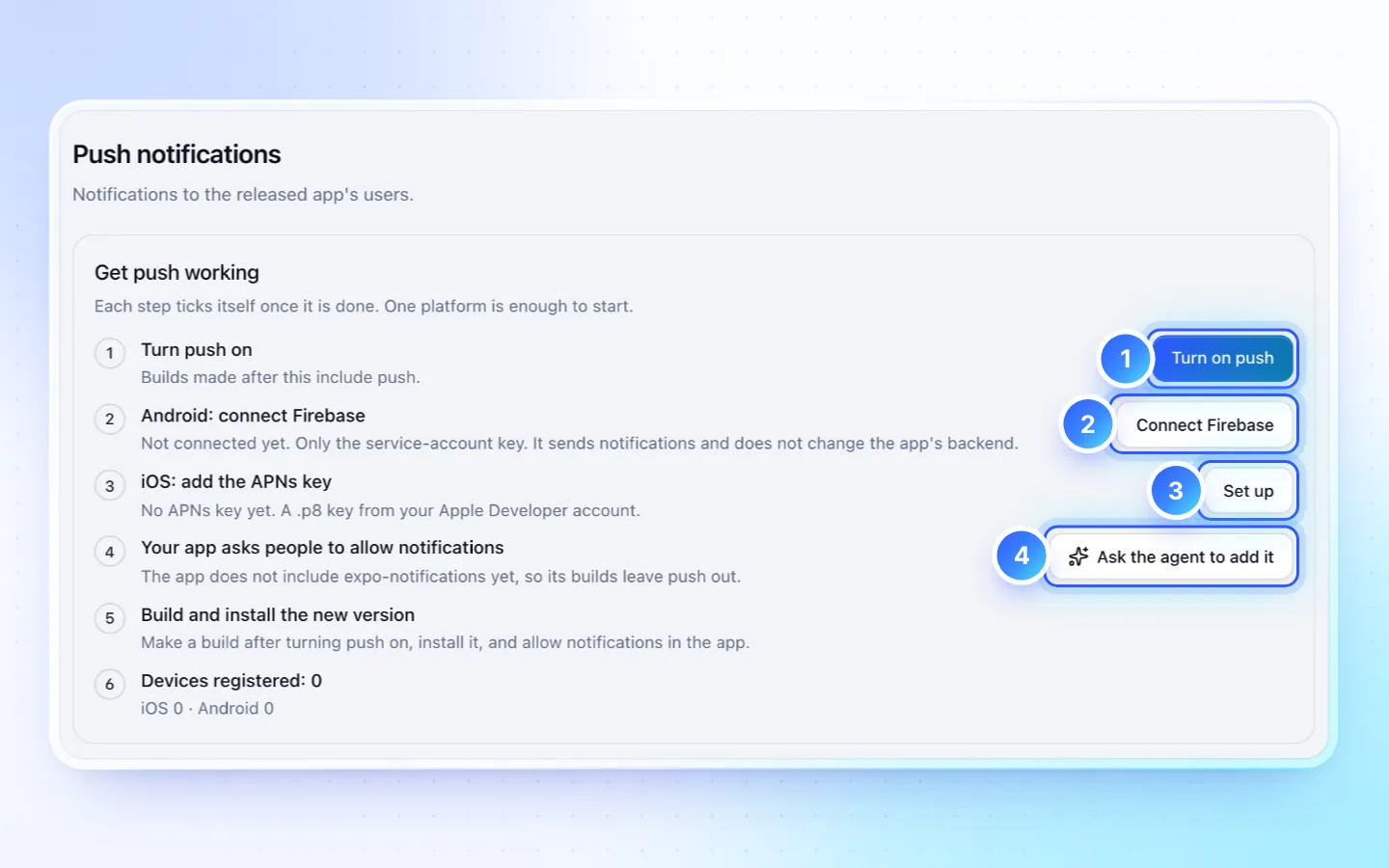
Steps
- Open Push notifications from the app's pages and press Turn on push.
- Android: open Connect Firebase, paste the Firebase project's service-account key (Project settings › Service accounts › Generate new private key), then Save and test.
- iOS: enter the APNs .p8 key, its 10-character Key ID and your 10-character Team ID, pick Production, then Save and test.
- Add an opt-in:
expo-notificationsinpackage.json, and a switch or button that callsrequestPlatformPush()from@/platform(anddisablePlatformPush()when turned off). Ask the agent to add it writes the request. If this step says the app's push code asks at launch, press Update push code first. - Make a new native build, install it, and allow notifications.
- Write a Title (up to 65 characters) and a Message (up to 240), pick the screen Open on tap opens and the platforms, press Send to all devices, then confirm in the dialog. Write with AI drafts it with Growth.
Good to know
- Sending is part of the paid plans; devices register on any plan. A store version built before push was on registers nothing.
- Either platform is enough to start. One APNs key serves every app of your Apple team. Firebase handles push only: your data can stay in Supabase or elsewhere.
- A send goes at once to every device that allowed notifications, in every time zone, and can't be stopped or undone. A second send within 24 hours asks you to confirm Send anyway. No scheduling, segments, test send, images or open tracking yet; accepted by Apple/Google does not mean the phone showed it.
- Write words that are true for everyone who gets it, and promise only what the app keeps.
- An app made before base 12.4.0 asks for permission at launch until Update push code replaces its push code; builds with push on wait for it.
- The Get push working list ticks each step by itself.
Related
Did this page help?