Revisions and undo
Undo a turn with Rewind, and see how two conversations working at once merge instead of overwriting each other.
Updated Oct 17, 2026
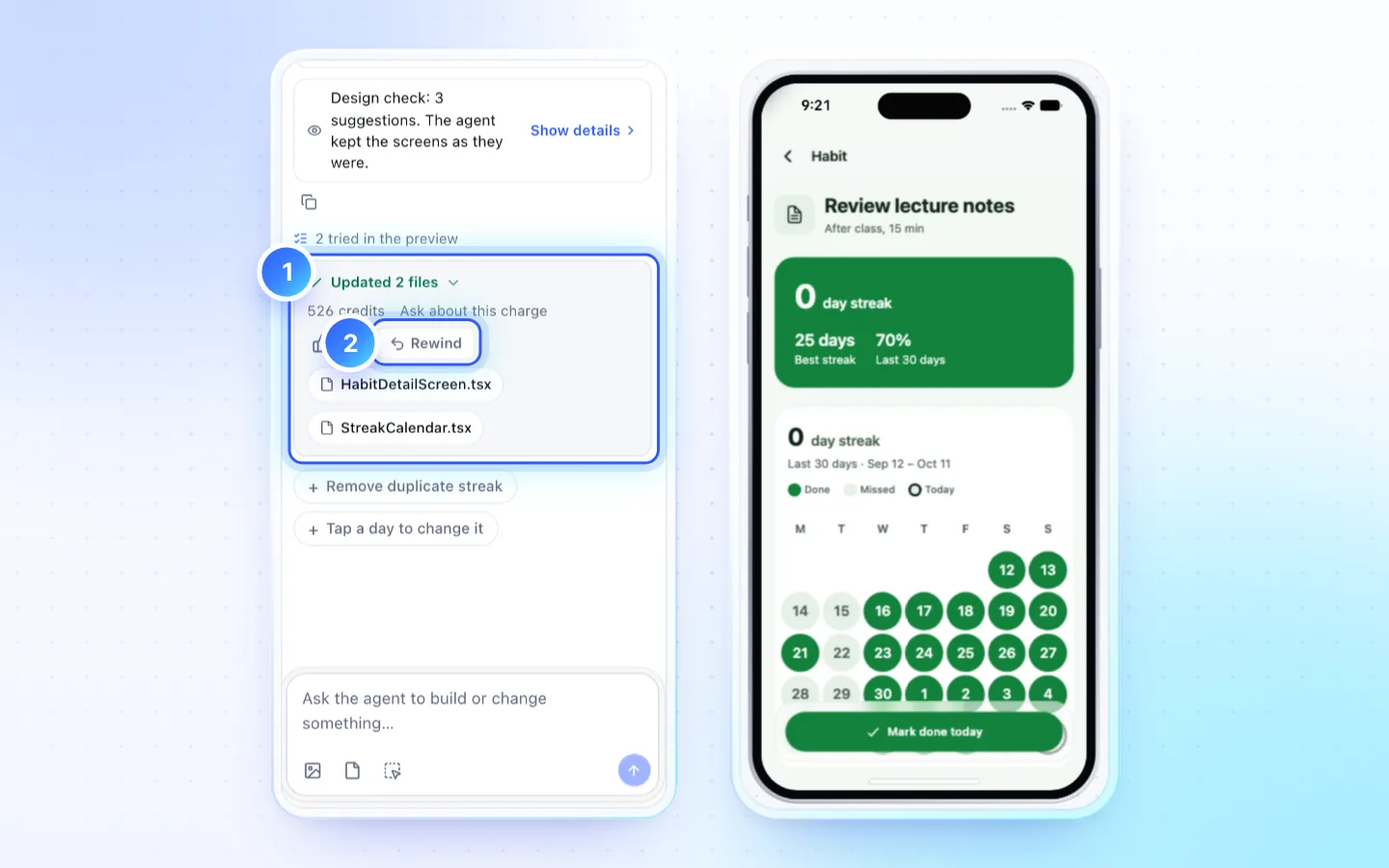
Undo a turn
- Find the latest turn that changed files in the chat.
- Click Rewind next to its changed files. The project returns to the version before it, and your message goes back in the box.
- Repeat to undo older turns, one at a time, newest first.
Two conversations at once
Two people, or one person in two chats or tabs, can change one app at the same time. The plan sets how many conversations run together in the organization: 1 on Free (a second one waits), 2 on Creator, 4 on Pro, 10 on Business. The chat list (the chat's title at the top of the chat) shows your running chats, and teammates' with who runs them, what each is doing and the files a working chat is editing. Code marks a file another chat is editing, and saving it there waits until that chat finishes.
- Changes to different files, or to different lines of one file, merge into one revision. The later chat's reply says so, and the checks run again on the merged app for free. A chat still working takes in what the others land after each of its steps, so it builds and previews the app as it is.
- When one chat lands lines another chat still working also changed, the working chat sees both versions and settles them itself, even when the other lands just as it finishes: it keeps both where they fit (two added rows both stay) and otherwise asks you which to keep, naming the other chat, with the other chat's change as the default.
- A chat that ends without settling them lands everything else and keeps the app's current lines: nothing live is overwritten. A short repair in that chat asks you which to keep where they disagree, naming the other chat and its person, with the live change as the default. The repair is a turn of its own and uses credits; the chat shows the total, for example 41 credits (20 + 21 repair).
- Two versions of one image, font or sound are never combined: the app keeps the live one, and the later chat's copy is kept aside until the repair asks which to keep.
- The later chat's side of those lines is never lost. If you stopped that chat, or its repair could not start (all of your plan's chats were busy, or no credits were left) or did not finish, the chat keeps it aside and offers Settle these lines, which starts the same repair when you are ready. A chat paused for credits settles them first when you continue it.
- The other chat's person is notified when their change could be replaced, and if it was. Version history names who made each version, in which chat, and which side a conflict kept.
- Keep mine and Use theirs are for your own typing in Code, not for two chats. Edit in the preview waits while a chat is working on the app or waiting for your answer.
Good to know
- Credits a rewound turn used are not refunded.
- A stopped turn keeps the edits that landed; they are part of the revision you can rewind.
- A failed check never rewinds you. Fix it in chat or in Code; only Rewind drops a revision.
Related
Did this page help?