Get help
Search Help, ask the assistant, report a bug or send support a request; replies come by email, usually within 1–2 business days.
Updated Oct 11, 2026
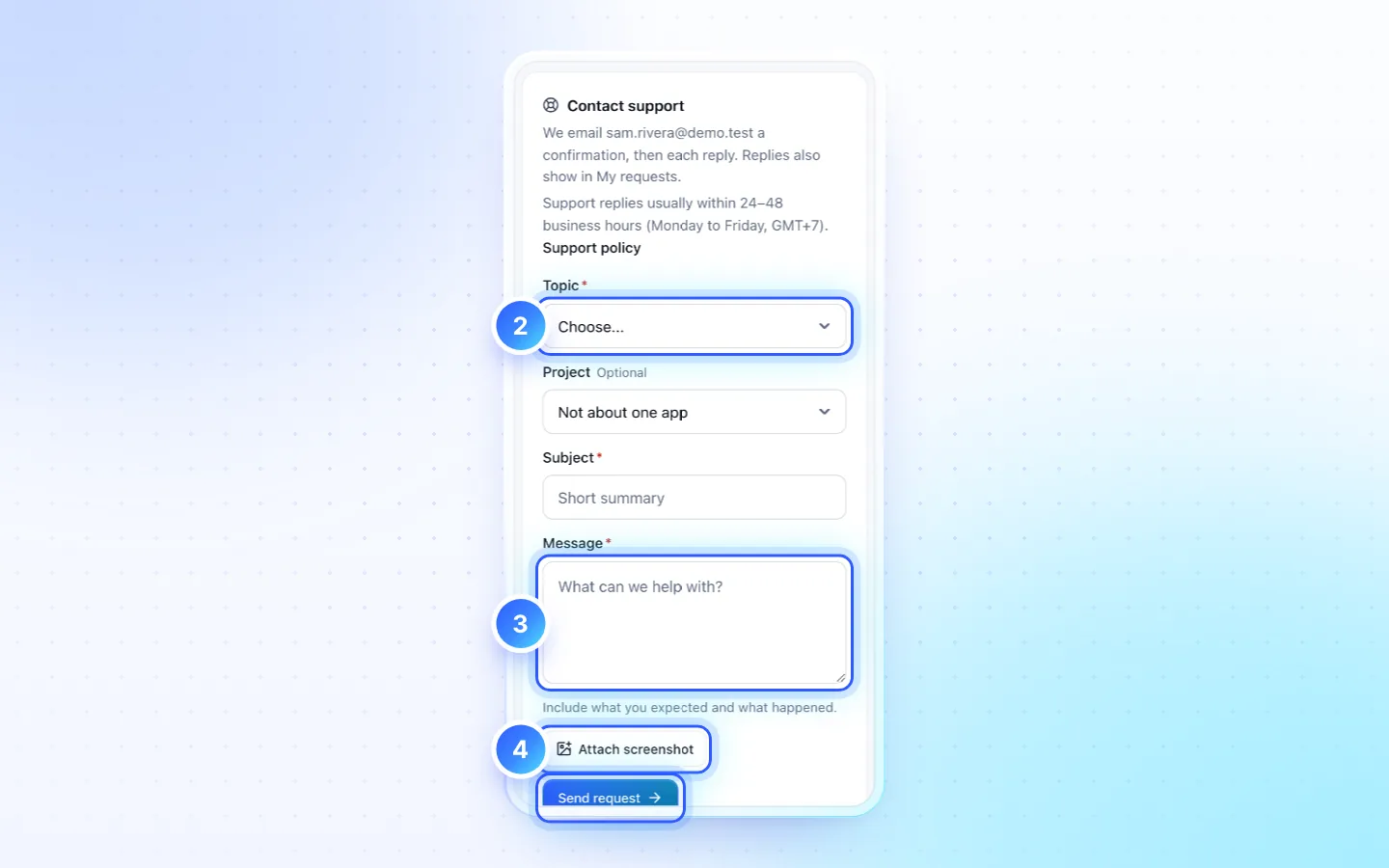
Send a request
- Open Help and choose Contact support.
- Pick a topic. A charge or a refund is Billing and credits.
- Say what you expected and what happened, with the app and any
BLD-reference. - Attach a JPEG, PNG or WebP screenshot if it helps, then press Send request.
Other ways
- Documentation has a Start here guide, The essentials, and Browse by topic. Choose a topic in the topic bar to jump to its guides. Search is also at the top of each guide; press / to focus it, arrow keys to choose a result, and Enter to open it. All documentation returns to the library.
- Help articles answer one task each; search matches any of your words.
- The assistant (bottom right) answers about your apps, builds and credits, and can file a request on a card you approve.
- Report a bug (Help, the account menu or ⌘K) sends a screenshot and the page's details, with your account and workspace ids, never your name or email.
- Service status shows whether FluxNative is up and taking builds.
Good to know
- You get an email for the request and each reply. Answer in Help › My requests, not by email.
- Support works Monday to Friday, GMT+7, usually replying within 1–2 business days. See What support covers.
- Can't sign in? Try Forgot password, or email hi@inspireui.com from your account's address.
Related
Did this page help?